
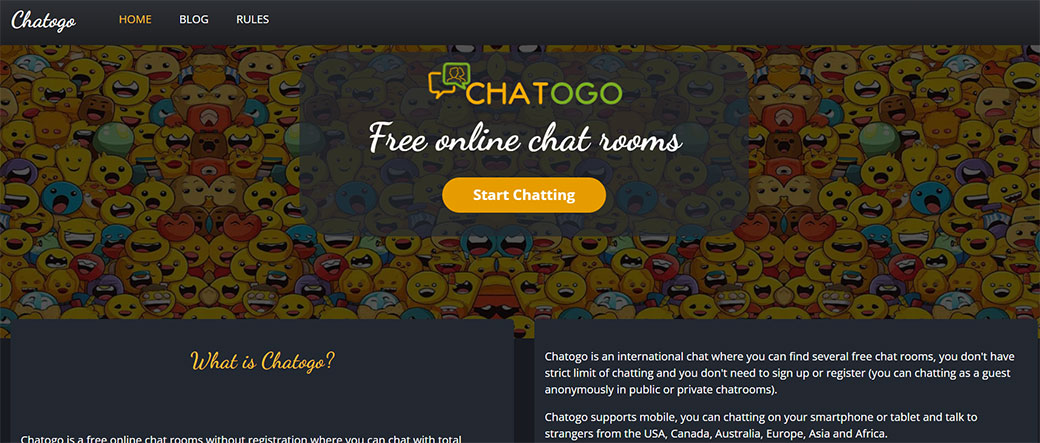



If you’ve ever wanted to jump into instant conversations with strangers around the industry without downloading anything, Chatogo has probably popped up on your radar. It’s a simple, browser-based random chat platform that promises fast, anonymous social interaction.
But is Chatogo actually worth your time in 2026, especially if you’re used to modern video chat apps and polished social platforms? In this review, you’ll get a clear, no-nonsense breakdown of how Chatogo really performs, how safe it feels, and whether it’s the right place for you to hang out online.
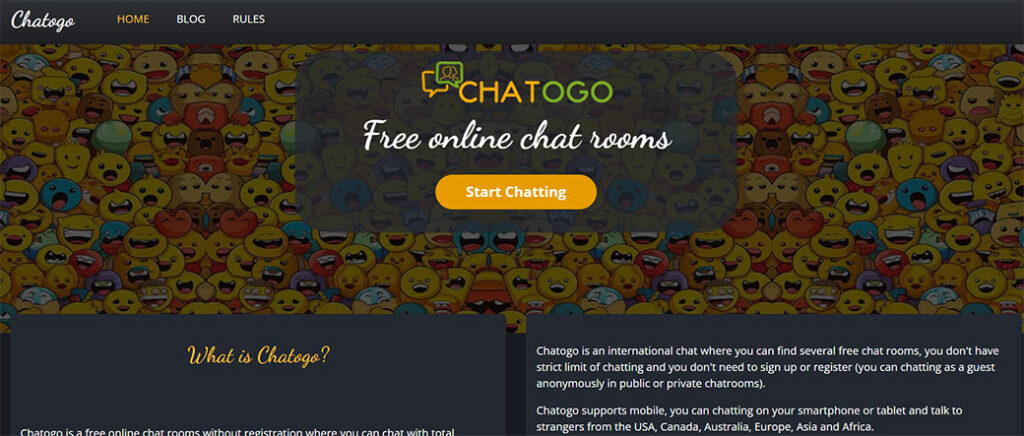
Chatogo At A Glance
Chatogo is a lightweight web-based chat platform that connects you with random people or themed chat rooms without forcing you to sign up. It’s built for quick, casual conversations rather than long-term communities or professional calls.
What Chatogo Is (And Isn’t)
What it is:
- A free, browser-based random chat website.
- A mix of one-on-one private chats and open public rooms.
- A simple way to kill time, meet new people, or practice a language.
What it isn’t:
- A full-featured video conferencing platform (like Zoom or Google Meet).
- A highly polished social network with profiles and feeds.
- A strongly curated or identity-verified community.
You can use Chatogo from desktop or mobile browsers. The interface is minimal, and chats typically start within seconds. If you’re impatient and just want to talk to someone right now, that’s the main appeal.
Quick Snapshot Of Chatogo
| Aspect | Summary |
|---|---|
| Platform type | Browser-based random chat / chat rooms |
| Registration | Optional (you can chat as guest or create a basic account) |
| Main use cases | Casual talk, meeting strangers, flirting, passing time, language chat |
| Media support | Primarily text: limited support for sharing links/emojis: cam use varies by room |
| Monetization | Free with ads: some features limited or restricted in certain rooms |
| Target users | Global, 18+ users looking for quick, low-commitment conversations |
If you’re looking for a frictionless way to jump into random conversations, Chatogo delivers that. The rest of this review digs into how well it actually does it, and what you should watch out for.
Key Features And Specifications
Chatogo keeps its feature set lean, which is both a strength and a limitation depending on what you want.
Core Chatogo Features
- Instant Guest Chat
You can start chatting without creating an account. Just pick a nickname and you’re in. This is ideal if you don’t want to leave a digital trail or commit to yet another login.
2. Public Chat Rooms
Chatogo offers topic-based rooms (for example, countries, age groups, general chat, sometimes dating/flirt rooms). You join a room, see live messages, and jump into the conversation.
3. Private One-on-One Chats
From public rooms, you can open private sessions with users who are online. This is useful if a group conversation becomes too noisy or you want to move a chat off the main stage.
4. Basic User Profiles / Nicknames
While there’s no deep profile system like on social networks, you can pick a nick and sometimes set tiny bits of info. Most people just use nicknames, which keeps things anonymous but also makes trust trickier.
5. Moderation Tools (Limited)
You typically get:
- Block/ignore options for annoying users.
- Room-based rules or warnings.
- Report options, depending on the room and interface version.
6. Mobile-Friendly Web Interface
Chatogo works in mobile browsers, so you can chat from your phone without installing an app. The experience is simpler than a native app but convenient when you’re on the go.
Technical / Practical Specs (Typical Experience)
While Chatogo doesn’t publish detailed technical specs like enterprise platforms, here’s what you can usually expect in practice:
- Platform support: Any modern browser (Chrome, Firefox, Edge, Safari) on desktop or mobile.
- Sign-up requirements: None required: optional simple registration for more persistence.
- Media types: Mostly text: some rooms may enable limited image or cam behavior, but it’s not a polished video-first platform.
- Language support: Global user base: interface is simple English, but you’ll see chats in many languages.
- Age restrictions: Intended for adults (18+). Enforcement in practice can be weak, so you should be cautious.
In short, Chatogo gives you a bare-bones, fast way to connect. If you’re expecting sleek layouts, structured profiles, or polished video, you’ll feel the gaps fast.
Evaluation Criteria For This Review
To judge whether Chatogo is actually worth your time, this review looks at it through the same lens you’d use for any chat or video chat platform you care about.
Criteria Used
- Ease of Use & Interface
How quickly can you get started? Is the layout intuitive on both mobile and desktop? Do common actions (starting a chat, muting someone, switching rooms) feel simple or clunky?
2. Community Quality & Safety
Who’s actually hanging out on Chatogo? Is the community friendly or toxic? Are there visible rules, moderators, or any kind of enforcement when things go wrong?
3. Performance & Reliability
Does the site load quickly? Are messages delivered in real time? Do you see disconnects, lag, or random errors frequently?
4. Privacy, Security & Data Handling
What information do you have to give up? Are there basic protections in place? How anonymous do you stay in practice?
5. Monetization, Pricing & Value
It’s free to use, but what’s the catch? Is the ad experience tolerable, and does Chatogo offer enough value for your time compared to better-known alternatives?
6. Fit For Purpose
Finally, the most practical question: Is Chatogo a good match for what you want to do? Casual chat? Meeting strangers? Video calls with friends? Your use case makes or breaks how good this platform feels.
As you go through the rest of the sections, keep your own priorities in mind. What might be “good enough” for quick anonymous chats could be completely unacceptable if you’re planning serious, repeat conversations.
User Experience And Interface
Chatogo’s biggest advantage is that you can go from landing page to active chat in under a minute. That speed comes from a very minimal interface, but minimal doesn’t always mean modern.
Getting Started
On your first visit, you usually:
- Choose a nickname.
- Sometimes select gender/age (depending on room rules).
- Pick a room or click to start random chat.
There’s no onboarding, no tutorial, and almost no friction. If you hate forms and sign-up flows, you’ll appreciate this.
Layout And Design
The design feels:
- Clean but dated. Don’t expect slick UI patterns or animated transitions. It’s functional more than beautiful.
- Text-heavy. Messages, user lists, and options are all stacked into simple panels.
- Ad-disrupted. Banner or sidebar ads can break the visual flow, especially on smaller screens.
You’ll typically see:
- A main chat window with scrolling messages.
- A side panel with user list or room list.
- Basic input box for your messages and simple text formatting.
Mobile vs Desktop Experience
On desktop:
- The layout is easier to read and manage.
- Multiple panels can fit side by side.
- Ads feel slightly less intrusive.
On mobile:
- The interface is usable but cramped.
- Typing longer messages can be annoying.
- Navigation between rooms and private chats isn’t always obvious.
You can still chat fine from your phone, but don’t expect an app-like experience. It’s more like using an old-school web forum in a small browser window.
Learning Curve And Usability
You don’t really learn Chatogo. You just figure it out within a minute or two:
- Click a room → see messages → type → send.
- Click a user → open private chat.
- Use simple options to mute, block, or leave.
If you’re tech-savvy, you’ll breeze through it. If you’re not, you’ll still manage because there isn’t much to manage.
Overall, the user experience is fast but basic. It’s ideal if you care about immediacy more than design, but it feels outdated next to modern video chat apps and messaging platforms.
Community, Safety, And Moderation
Community and safety are where platforms like Chatogo either become fun… or a mess. Since Chatogo is anonymous and open, your experience can swing wildly depending on the room and time of day.
What The Community Feels Like
You’ll typically find:
- A mix of casual chatters, bored people scrolling, and flirt/dating seekers.
- Users from many countries, often using English as a common language.
- Age ranges that claim to be adult, though you should never assume everyone is who they say they are.
Conversations range from genuine and friendly to spammy, explicit, or straight-up weird. That’s the reality of anonymous chat.
Safety And Content Controls
Chatogo usually posts basic rules (no harassment, hate, explicit content in certain rooms, etc.), but enforcement is inconsistent.
You may have access to:
- Block / Ignore: Quickly stop seeing messages from a exact user.
- Report Options: In some rooms or versions, you can flag users.
- Room Moderators/Admins: Certain rooms may have active mods: others feel almost unmanaged.
Because registration is light and identities aren’t verified, bans don’t always stick. A determined bad actor can often return under a new nickname.
Realistic Safety Assessment
If you’re considering Chatogo, you should go in with clear expectations:
- You’ll occasionally see spam, bots, or explicit solicitations.
- You might encounter harassment or rude behavior, especially in flirt or adult-leaning rooms.
- The platform doesn’t provide the level of safety tooling you’d find on mainstream apps like Discord, Telegram, or Reddit.
To stay safer, you should:
- Avoid sharing real name, address, phone, social handles, or financial info.
- Treat every profile as unverified by default.
- Leave rooms or block users at the first sign of discomfort.
If you prioritize a structured, family-friendly, or heavily moderated environment, Chatogo will likely feel chaotic. If you’re used to the unpredictability of random chat sites, it’ll feel familiar.
Performance, Reliability, And Support
When you use any chat platform, you care about one basic question: Do my messages go through, and does the site stay up?
Performance In Day-To-Day Use
In typical use, Chatogo:
- Loads quickly on most modern connections.
- Delivers text messages in near real-time.
- Handles room switching with minimal lag.
Because it’s primarily text-based, it doesn’t need massive bandwidth the way HD video platforms do. That’s a plus if you’re on slower networks or using mobile data.
But, you may notice:
- Occasional disconnects or forced reloads during busy periods.
- Rooms that seem quiet or “dead” because there just aren’t enough active users at certain times.
Stability And Uptime
Chatogo doesn’t publicly advertise SLA (Service Level Agreements) or enterprise-grade uptime claims. From a typical user perspective:
- The site is generally available, but you may run into times when it’s slow or unresponsive.
- Random chat platforms are often targeted by bots and spam, which can affect stability.
Customer Support And Help
Support is one of Chatogo’s weaker areas compared to mainstream messaging or video apps.
You’ll often find:
- A basic FAQ or rules page rather than detailed documentation.
- Limited or slow direct support channels (contact forms or email, if provided).
- Community-driven answers, if something breaks, people complain in rooms rather than getting quick, official fixes.
If you’re just using Chatogo casually, this may be acceptable. But if you expect responsive support or need to resolve serious abuse problems, you’ll likely be disappointed.
Overall, Chatogo’s performance is decent for casual text chat, but its support and reliability fall short of professional or high-stakes use.
Privacy, Security, And Data Practices
On anonymous-style chat sites like Chatogo, you might feel safe just because you’re using a nickname. That’s not the same as strong privacy or security.
What You Usually Share
Depending on how you use Chatogo, you may share:
- A nickname (can be anything: don’t use your real name).
- Optional age, gender, or country details when requested by a room.
- Your IP address and device info, which almost any web service logs by default.
If you create an account, you may also share:
- A login credential (username/email + password).
How Private Is Your Activity?
Important practical notes:
- Chats are not end-to-end encrypted in the way apps like Signal or WhatsApp advertise. Messages pass through Chatogo’s servers.
- You should assume that admins could technically access logs if stored, and content might be visible to moderation systems.
- Chats in public rooms are visible to everyone in that room by design.
Because Chatogo isn’t a security-first platform, you should treat it like any other casual website, not like a secure messenger.
Safety Tips For Using Chatogo
If you decide to use Chatogo, protect yourself by:
- Never sending personal documents, passwords, or financial info.
- Avoiding links from strangers, especially if they look shortened or suspicious.
- Using a unique password if you create an account (don’t reuse a password from email or banking sites).
- Considering a VPN if you’re extra cautious about IP tracking.
Data And Legal Considerations
As with any site, Chatogo likely has a terms of use and privacy policy outlining how it handles data, cookies, and logs. You should skim those before heavy use, especially if you’re in regions with strict privacy regulations.
Bottom line: Chatogo offers convenient anonymity, not robust privacy. If you approach it with that mindset, you’ll make smarter choices about what you share.
Pricing, Value, And Limitations Of The Free Model
One reason Chatogo still attracts users: it’s free to start chatting, and you don’t have to hand over payment details.
How Chatogo Makes Money
Chatogo relies primarily on display advertising and a high-volume, low-friction user model. You pay with:
- Your attention (ads in and around the interface).
- Your data signals (page views, behavior, and typical ad-targeting metrics).
There may be optional premium-like features or donation options in some implementations, but the core experience is centered on free access.
What You Get For Free
On the free model, you typically get:
- Access to public rooms.
- Ability to start private chats.
- Use of basic nickname-based identity.
- Use from multiple devices via browser.
For casual use, that’s enough. You can chat for hours without paying a cent.
Trade-Offs Of The Free Model
The limitations show up in several ways:
- Ads clutter the interface, especially on mobile.
- There’s less incentive for the platform to heavily invest in moderation or advanced safety tools.
- You don’t get prioritized support or guaranteed uptime.
From a value standpoint:
- If you just want a random, low-stakes chat experience, the free model is fair.
- If you want a reliable place to build meaningful, repeat connections, you may feel that “free” costs you too much in time wasted, low-quality interactions, and occasional toxicity.
You’re not risking money with Chatogo, but you are risking your time and attention. That’s the core value question you need to answer for yourself.
Pros And Cons Of Chatogo
To make the decision easier, it helps to see Chatogo’s strengths and weaknesses side by side.
Chatogo Pros and Cons
| Pros | Cons |
|---|---|
| Free to use, no credit card required | Dated interface and design |
| Instant access with guest chat (no sign-up needed) | Inconsistent moderation and safety controls |
| Global user base, many languages and cultures | High potential for spam, bots, and explicit content |
| Simple, low-bandwidth text chat | Limited or clunky support for video and richer media |
| Works on desktop and mobile browsers | Ads clutter the UI, especially on phones |
| Easy to start private chats from rooms | Weak identity verification: anyone can pretend to be anyone |
| Good for boredom relief and casual talk | Not suitable for professional, family, or serious communities |
When The Pros Matter Most
Chatogo feels strongest when you:
- Want something to do for a few minutes while bored.
- Enjoy the unpredictability of random strangers.
- Prefer no-install, no-sign-up experiences.
- Have limited bandwidth and just need text.
When The Cons Become Dealbreakers
The cons hit hardest if you:
- Need a safe, controlled environment (for younger users or professional settings).
- Want stable, high-quality video chat.
- Hate dealing with ads, bots, or trolls.
Seeing these side by side, you can already tell whether Chatogo is likely to be your kind of place, or something you try once and never visit again.
How Chatogo Compares To Alternative Chat Platforms
You’re not short on options when it comes to random chat and video chat sites. To put Chatogo in perspective, let’s stack it against some well-known alternatives.
Chatogo vs Omegle-Style Random Chat
Platforms like Omegle (and its many clones) focus heavily on random one-on-one chat, often with integrated video.
- Chatogo:
- Stronger in room-based text chat.
- Weaker and less polished in video.
- Slightly more “forum-like” in some rooms.
- Omegle-style sites:
- Stronger in instant video matchups.
- Often just as chaotic or unsafe.
- Less about persistent rooms: more about “next, next, next”.
If your whole goal is video face-to-face with strangers, Omegle-style platforms usually fit better. If you’re okay with text and like hanging out in themed rooms, Chatogo has its place.
Chatogo vs Discord / Telegram
Discord and Telegram aren’t random chat by default, but they dominate real-time conversation today.
- Chatogo:
- Anonymous drop-in model.
- No invites or server setup.
- Minimal features, limited structure.
- Discord / Telegram:
- Account-based, with richer identity and community tools.
- Robust moderation features, bots, roles, and channels.
- Better for long-term communities and organized conversations.
If you want to build or join a serious community with voice, video, and persistent history, Chatogo can’t really compete. It’s more of a disposable chat stop.
Chatogo vs Dedicated Video Chat Apps (Zoom, Google Meet, etc.)
This is almost an apples-to-oranges comparison, but it clarifies your choice.
- Chatogo:
- Meant for meeting strangers.
- Lacks scheduled meetings, screen sharing, or business features.
- Zoom/Meet/etc.:
- Meant for known contacts, work, or school.
- Offer high-quality video, screen share, and strong security controls.
If you’re after professional-grade video calls, Chatogo isn’t even in the running, and it doesn’t try to be.
Quick Comparison Table
| Platform | Best For | Strengths | Weaknesses |
|---|---|---|---|
| Chatogo | Casual anonymous text chat | No sign-up, free, global rooms | Dated UI, weak moderation, ad clutter |
| Omegle-like | Random video chat with strangers | Instant cam connections | High risk, little structure or safety |
| Discord | Long-term communities & gaming | Voice, video, channels, moderation | Requires accounts/servers, less anonymous |
| Telegram | Groups, channels, private messaging | Secure messaging, bots, mobile apps | Not focused on random stranger chats |
| Zoom/Meet | Work, classes, organized meetings | Professional video features | No organic stranger discovery |
Chatogo occupies a small but clear niche: anonymous, free, browser-based text chat for people who just want to talk to someone right now.
Who Chatogo Is Best (And Worst) For
Chatogo is a better fit for some people than others. You’ll have a smoother time if you match the audience it quietly caters to.
Chatogo Is Best For You If…
You’ll likely enjoy Chatogo if you:
- Want zero-commitment social interaction, no app installs, no long profiles.
- Are comfortable handling unpredictable, adult-leaning spaces.
- Enjoy text-first interaction and don’t mind the absence of polished video features.
- Are just looking to kill time, flirt, or casually meet strangers.
- Live in an area with weaker internet and value a simple, low-bandwidth chat.
If you go in with modest expectations, “I’ll see who’s online and chat a bit” rather than “I’ll find my next co-founder or soulmate”, you’re more likely to walk away satisfied.
You Should Probably Skip Chatogo If…
You’ll want to avoid or minimize Chatogo if you:
- Are looking for a safe platform for teens or family use.
- Need reliable, long-term, identity-based communication (e.g., for remote work or study).
- Dislike environments with rude or explicit behavior.
- Need strong privacy guarantees or encryption for sensitive topics.
- Prefer rich features like media sharing, threaded replies, voice channels, or groups with roles.
In these cases, you’re better off with Discord, Telegram, or professional video chat tools.
A Simple Self-Check
Ask yourself:
Am I okay with randomness, occasional toxicity, and a dated interface in exchange for instant, free, anonymous chat?
If your honest answer is yes, then Chatogo is very likely worth trying. If not, your time is probably better spent elsewhere.
Overall Verdict And Recommendation
Chatogo is exactly what it looks like: a fast, anonymous, browser-based chat site where you can talk to strangers from around the industry with minimal friction. It doesn’t pretend to be polished, professional, or highly secure, and you shouldn’t treat it that way.
Strengths: It’s free, instant, and available almost anywhere. If you’re bored, lonely for a few minutes, or curious about chatting with random people globally, Chatogo delivers that experience with almost no setup.
Weaknesses: The interface feels old, moderation is hit-or-miss, and the environment can be chaotic, explicit, or toxic. Privacy is casual rather than robust, and serious video chat users will find it lacking.
Should You Use Chatogo?
You should try Chatogo if you:
- Crave quick anonymous conversations.
- Prefer not to install apps or sign up.
- Understand the risks and are willing to protect your own privacy.
You should skip it if you:
- Need a safe, structured, or professional environment.
- Want strong video capabilities or modern community tools.
Used with realistic expectations and basic caution, Chatogo can be a fun, lightweight way to connect with random people across the globe. Just treat it like what it is, a casual, anonymous chat stop, not your primary communication platform or a secure space for sensitive conversations.
Frequently Asked Questions About Chatogo
What is Chatogo and how does it work?
Chatogo is a free, browser-based random chat platform focused mainly on text chat. You pick a nickname, join a public room or start a one‑on‑one chat, and talk with strangers instantly. No download is required, and registration is optional for simple, low‑commitment conversations.
Is Chatogo safe to use for chatting with strangers?
Chatogo can be safe for casual use if you’re cautious, but it’s not heavily moderated or identity‑verified. Expect occasional spam, explicit content, or rude behavior. Protect yourself by avoiding personal details, blocking problem users, leaving uncomfortable rooms, and treating everyone as unverified by default.
Do I need to register an account to use Chatogo?
No, you can use Chatogo as a guest by choosing a nickname and jumping straight into rooms. Creating a basic account is optional and mainly helps with persistence of your identity. Most users just chat as guests for quick, anonymous conversations without long sign‑up forms.
Is Chatogo anonymous and what data does it collect?
Chatogo is anonymous at the nickname level, but it still sees typical web data like IP address and device info. Public room messages are visible to all participants and chats aren’t end‑to‑end encrypted. Avoid sharing real names, contact details, or financial information if you care about privacy.
How does Chatogo compare to other random chat sites like Omegle?
Compared to Omegle‑style platforms, Chatogo focuses more on text‑based rooms than rapid video pairings. It’s better for themed group chats and lightweight private text conversations, but weaker for polished video. Both can feel chaotic and unsafe at times, so neither is ideal for minors or professional use.
Who is Chatogo best for and when should I use an alternative?
Chatogo suits adults who want instant, anonymous text chat to kill time, flirt, or practice languages, especially on low bandwidth. Choose alternatives like Discord, Telegram, or Zoom if you need structured communities, strong moderation, richer media features, or professional‑grade video and security controls.



2 Comments
[…] Random video call is a format, not a single app. Here’s how this experience conceptually compares with other ways you might meet or talk to people online. […]
[…] If you’re going to use Flingster regularly, treat it like any other adult random chat site: […]