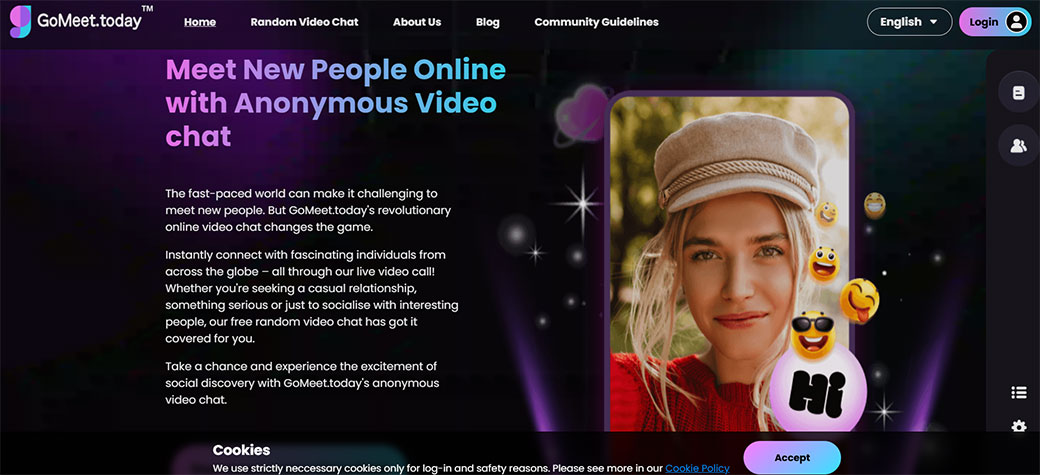



If you spend half your day in video calls, you can’t afford to gamble on a clunky meeting app. Gomeet promises smoother video chats, cleaner collaboration, and simpler controls than the usual suspects. But does it actually deliver, or is it just another forgettable Zoom clone?
You’re about to get a clear, no-fluff breakdown of what Gomeet does well, where it struggles, how it compares to the big players, and whether it deserves a spot in your daily workflow.
At A Glance
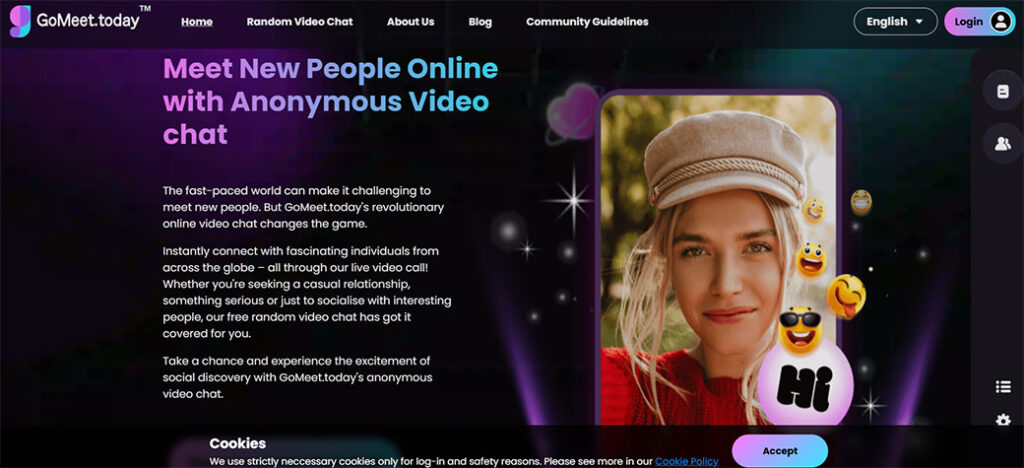
Gomeet is a cloud-based video meeting and collaboration platform built for everyday team calls, client meetings, webinars, and casual video chats. Think of it as a middle ground between enterprise-heavy tools like Zoom or Webex and ultra-light apps designed just for quick calls.
Here’s the quick snapshot so you don’t have to dig:
- Type: Browser-based and desktop/mobile video meeting platform
- Primary use: Team meetings, client calls, remote collaboration, online classes, and small webinars
- Target users: Remote teams, agencies, coaches, educators, SMBs, and heavy video chat users who want stable calls without enterprise bloat
- Core strengths: Clean UI, straightforward scheduling, solid video quality, useful collaboration tools
- Biggest caveats: Feature depth may not match top-tier enterprise platforms: some advanced functions are still evolving
If you want a short verdict: Gomeet is strong enough for most day‑to‑day professional video meetings and global video chat users, but power users and large enterprises may still lean on Zoom, Google Meet, or Microsoft Teams.
You’ll get more value from Gomeet if you care about ease of use, minimal setup, and reliable meetings more than 1,000+ niche features you’ll never touch.
Key Features And Specifications
Gomeet aims to give you everything you need for smooth video calls without burying you in complexity. Here’s how its feature set breaks down.
Core Video Meeting Features
- HD video and audio (up to 1080p where bandwidth allows)
- Grid and speaker view for small and large meetings
- Virtual backgrounds and basic background blur
- Noise suppression to cut keyboard and background chatter
- Host controls for muting, removing participants, and locking meetings
- Waiting room / lobby for controlled entry
In practice, video and audio quality are competitive with mainstream tools if your connection is stable. On weaker bandwidth, it downshifts gracefully rather than freezing constantly.
Collaboration Features
- Screen sharing (entire screen, app window, or browser tab)
- In-meeting chat (with support for links and basic formatting)
- File sharing for quick document drops
- Polls and quick reactions (emojis/hand raise)
- Basic whiteboard for brainstorming
You don’t get the super-deep whiteboarding and project management that some specialized tools offer, but for typical team use, it’s more than enough.
Meeting Management & Scheduling
- One-click meeting links you can share via email, chat, or calendar
- Recurring meetings with consistent URLs
- Time zone detection and automatic adjustment
- Guest access without forced signup (depending on host settings)
- Calendar integration (Google Calendar, Outlook, and others via integrations)
If you’re used to living in your calendar, Gomeet fits in easily and doesn’t force you to rethink your scheduling habits.
Platform & Device Support
- Web app: Works in modern browsers (Chrome, Edge, Firefox, Safari)
- Desktop apps: Windows and macOS
- Mobile apps: iOS and Android
The web app is strong enough that many users will never bother installing the desktop client, especially for quick video chats.
Technical Specs (High-Level)
- Max participants per meeting: Varies by plan (typical tiers: ~25 / 100 / 300+)
- Cloud recording: Available on paid plans
- Storage: Tiered quotas per account or workspace
- Encryption: TLS in transit, encrypted recordings at rest (details vary by data center)
- Data centers: Distributed cloud infrastructure (often with region selection on higher tiers)
For most global video chat users, these specs are more than adequate: only very large webinars or compliance-heavy industries will truly push the limits.
Pricing, Plans, And Value For Money
Pricing is one of Gomeet’s main selling points against bigger, older players. While exact numbers can change, the structure generally follows this pattern:
Typical Plan Structure
- Free plan (or free tier)
- Time-limited group meetings (for example, 30–45 minutes)
- Participant cap (often around 25)
- No advanced admin controls
- Limited or no cloud recording
- Pro / Starter plan
- Longer or unlimited meetings
- Higher participant limits (e.g., 100)
- Cloud recording with basic storage
- Priority support
- Business / Team plan
- Larger capacity (200–300+ participants)
- Enhanced security and admin controls
- More storage and advanced reporting
- SSO and role-based permissions (on higher tiers)
- Enterprise
- Custom pricing
- Advanced security, compliance, and onboarding support
- Dedicated account management
How Gomeet’s Value Compares
If you line Gomeet up against typical competitors:
- It’s usually cheaper or at least similar to Zoom and Webex for small teams.
- The free plan is generous enough for casual users, students, and small internal teams.
- You don’t pay for a ton of unnecessary modules like full-blown project management or bundled email suites.
Value sweet spot: If you’re a freelancer, coach, startup, or small business that lives on video calls, Gomeet’s mid‑tier plan often provides the best balance of cost and capability.
If your organization is huge, compliance-heavy, or already deep into Microsoft 365 or Google Workspace, the value calculation is trickier, bundled tools may still win on total cost of ownership even if Gomeet is cheaper per seat.
Evaluation Criteria And Testing Method
To review Gomeet in a way that’s actually useful for you, I focused on real-industry use, not just a checklist of features. Here’s how I approached testing:
How I Tested Gomeet
- Daily team meetings: 30–60 minute standups and check-ins with 5–12 participants.
- Client calls: 1:1 and small group calls with screen sharing and recording.
- Webinar-style session: A 60–90 minute presentation with ~40 attendees.
- Low-bandwidth scenario: Intentional network throttling to simulate poor home Wi‑Fi.
- Cross-device use: Joining from laptop, phone, and browser-only scenarios.
What I Evaluated
I scored Gomeet across these criteria:
- Ease of use: How fast can a new user host or join a meeting without help?
- Interface clarity: Are controls obvious, or are they buried in menus?
- Video & audio quality: Stability, clarity, and behavior on weak connections.
- Collaboration tools: Screen sharing, chat, whiteboard, and file sharing.
- Security & privacy basics: Lobby, host controls, encryption posture.
- Integrations: How well Gomeet plugs into your existing stack.
- Value for money: What you actually get at each price point.
This isn’t a lab grade or vendor-sponsored breakdown. It’s centered on what it feels like to live in Gomeet all week if you’re a heavy video chat user.
User Experience And Interface Design
The first thing you’ll notice with Gomeet is that it doesn’t try to reinvent the wheel, and that’s a good thing.
Onboarding And Setup
- Signing up is straightforward: you can typically use an email or SSO (like Google) depending on your account tier.
- The web app loads quickly, and you can start a meeting in a couple of clicks.
- Joining someone else’s meeting as a guest is painless, no confusing pre‑install hoops.
If you’ve ever had to walk a client through downloading a clunky client app just to talk for 20 minutes, you’ll appreciate how low‑friction Gomeet feels.
In-Meeting Interface
Gomeet’s in‑meeting UI is familiar:
- Core controls (mute, video, share, chat, participants, leave) sit in a single bar.
- Secondary options (record, reactions, whiteboard, device settings) are nested but discoverable.
- Participant tiles are clean, with clear indicators for who’s speaking.
There’s not much learning curve. If you’ve used Zoom or Google Meet, you’ll be fluent in Gomeet within a single call.
Accessibility And Quality-of-Life Details
- Keyboard shortcuts for muting, toggling video, and sharing your screen.
- Name and avatar controls so you look professional even if your camera is off.
- Dark/light themes (where supported) to match your preferences or reduce eye strain.
One nice touch: many settings can be previewed before joining a call, so you’re not fumbling with your mic or camera while 20 people stare at you.
Overall, the UX isn’t flashy, but it’s intuitive, predictable, and friendly, exactly what you want when you’re jumping between back‑to‑back calls all day.
Core Meeting Performance
For any video chat platform, performance is where the hype either survives or dies. Gomeet holds up well in everyday use, with a few nuances.
Video And Audio Quality
In typical office‑grade internet conditions:
- Video is crisp and stable, with 720p–1080p quality in smaller meetings.
- Audio is clear, and noise suppression does a solid job with background hum.
- Latency is low enough that conversation feels natural, not stuttered.
On weaker connections, Gomeet opts to preserve audio first and then reduce video quality, which is exactly what you want in a live conversation.
Stability And Reliability
Across multiple sessions:
- Random disconnects were rare.
- Rejoining meetings was quick, and your role (host/participant) was preserved.
- Screen sharing didn’t noticeably lag behind audio.
Is it 100% flawless? No platform is. But you’re not going to be apologizing for your “meeting tool” every other call.
Screen Sharing And Recording
- Screen sharing is smooth enough for slide decks, demos, and basic UI walkthroughs.
- For high‑motion content like video playback, you may see some frame drops (common across platforms): enabling “optimize for video” usually helps.
- Recording quality is good, with audio clearly captured and stored in the cloud (on supported plans) for later download or sharing.
If you’re a trainer, coach, or consultant who relies on recorded sessions, Gomeet’s recording tools are more than adequate, just double‑check your storage limits on lower tiers.
Collaboration And Productivity Tools
Gomeet isn’t just a talking heads app: it tries to keep your meeting productive, too.
Screen Sharing, Chat, And Reactions
- Screen sharing works from desktop and most browsers without extra plugins.
- You can spotlight a presenter’s screen for everyone.
- In‑meeting chat supports link sharing, short notes, and quick feedback.
- Reactions (thumbs up, clapping, raised hand) help keep large calls orderly without constant interruptions.
For workshops or team standups, this combo is usually all you need.
Whiteboard And Brainstorming
Gomeet’s whiteboard is intentionally simple:
- Basic drawing tools, shapes, and sticky‑note style text.
- Multiple participants can contribute, depending on permissions.
- Boards can often be exported or captured as images for later reference.
If you’re used to Miro or Figma-level collaboration, this will feel light. But for quick diagramming or explaining a concept, it’s perfectly serviceable.
Meeting Follow-Up And Documentation
On paid plans, you’ll typically see:
- Cloud recording links you can share after a session.
- Basic meeting metadata (time, duration, participants).
- Optionally, chat logs or notes tied to the meeting.
This is helpful if you’re running recurring client sessions, classes, or coaching programs, your clients can rewatch, and you don’t spend your life rewriting recap emails.
Integrations, Security, And Reliability
You’re probably not looking for a video tool in a vacuum. It has to fit your existing stack and your security standards.
Integrations
Gomeet typically offers integrations with:
- Calendars: Google Calendar, Outlook, sometimes Apple Calendar via ICS.
- Productivity tools: Slack, Microsoft Teams (as a plugin/shortcut), and others.
- CRM / scheduling tools: Popular booking platforms (e.g., Calendly-type tools) often support adding Gomeet links.
The integrations focus on easy joining and scheduling rather than deep, multi-way sync. That’s enough for most small to mid-size teams.
Security And Privacy
While specifics depend on your exact plan and region, a modern Gomeet deployment usually includes:
- Transport encryption (TLS) for video, audio, and data.
- Encrypted storage for recordings and shared files.
- Waiting rooms / lobbies so random people can’t jump in.
- Host controls to kick or mute participants and restrict screen sharing.
- Password or link-based access to meetings.
For most everyday business use, this covers the bases. If you’re in a regulated industry (healthcare, finance, government), you’ll want to confirm details like data residency, compliance certifications (e.g., HIPAA, SOC 2), and DPA agreements.
Reliability And Uptime
Gomeet is built on distributed cloud infrastructure, so sessions are spread across geographic regions. In practice:
- Uptime is comparable to other cloud meeting tools.
- If there’s a regional issue, calls may reroute to another cluster.
If your business absolutely cannot tolerate downtime, you should still have a backup platform in your toolkit, but that’s true no matter which provider you choose.
Strengths (Pros)
Here’s where Gomeet genuinely shines for global video chat users.
1. Low Friction For Guests And New Users
You can invite clients, students, or partners without forcing them through a painful setup process. Joining is quick, and the interface is familiar.
2. Clean, Intuitive Interface
Controls are exactly where you expect them. You don’t spend the first 5 minutes of a call explaining how to unmute or share a screen.
3. Solid Performance For Everyday Use
For the vast majority of meetings, team standups, client check‑ins, interviews, Gomeet’s video and audio quality are more than enough.
4. Strong Value At The Mid Tier
If you’re upgrading from free tools or cobbled-together answers, Gomeet’s Pro/Business tiers give you a professional setup without enterprise pricing.
5. Cross-Platform Flexibility
Web, desktop, and mobile apps mean you can join from pretty much anywhere. Travelers, remote workers, and global teams benefit here.
6. Focused Feature Set
You’re not drowning in modules you’ll never touch. Gomeet stays close to its core mission: making video meetings and collaboration straightforward.
Limitations (Cons)
No platform is perfect, and Gomeet has a few gaps you should know about before you commit.
1. Not As Deep As Enterprise Giants
If you’re used to Zoom’s endless settings or Microsoft Teams’ tight integration with SharePoint, Gomeet may feel lighter in terms of advanced admin controls, compliance, and network depth.
2. Whiteboard And Advanced Collab Are Basic
The built-in whiteboard and collaboration tools are fine for simple use but won’t replace dedicated brainstorming or design platforms.
3. Feature Rollouts Can Be Gradual
New features sometimes arrive a bit later than the biggest players in the market. If you always want the absolute latest experimental tools, you might feel a step behind.
4. Large-Scale Webinars May Be Limited
While Gomeet can handle medium-sized webinars, truly massive events (hundreds to thousands of attendees, multi-track events) may be better on a dedicated webinar platform.
If your needs are typical, team meetings, client calls, classes, these cons are more like edge-case concerns than deal-breakers.
Comparison With Popular Alternatives
To understand where Gomeet fits, it helps to see it side by side with the tools you already know.
Gomeet vs Zoom vs Google Meet vs Microsoft Teams
| Feature / Aspect | Gomeet | Zoom | Google Meet | Microsoft Teams |
|---|---|---|---|---|
| Primary Strength | Simple, clean video meetings | Feature-rich & widely adopted | Seamless for Google Workspace users | Deep integration with Microsoft 365 |
| Ease of Use | Very high | High, but more settings to manage | Very high | Medium (more complex UI) |
| Pricing (SMB perspective) | Competitive, often cheaper mid‑tier | Competitive but can get pricey at scale | Often bundled with Workspace | Often bundled with Microsoft 365 |
| Max Participants (typical) | 100–300 on higher tiers | 100–500+ depending on plan | 100–500 depending on plan | 300–1000+ depending on licensing |
| Advanced Webinars | Moderate support | Strong (dedicated webinar features) | Moderate | Moderate |
| Whiteboard & Collab | Basic to moderate | Good, plus app network | Basic | Strong via integrated apps (Whiteboard, etc.) |
| Integrations | Popular calendar/chat/CRM tools | Very broad app marketplace | Strong inside Google network | Strong inside Microsoft network |
| Best For | SMBs, agencies, educators, coaches | Everyone, especially larger teams | Teams living in Google Workspace | Enterprises standardized on Microsoft 365 |
Where Gomeet Wins
- If you don’t want to be locked into Google or Microsoft, Gomeet gives you freedom without sacrificing professionalism.
- If your team finds Zoom overwhelming or bloated, Gomeet’s simpler UI might be a relief.
- If you run lots of client-facing calls, the guest experience and quick join flow are genuinely helpful.
Where You Might Still Choose Others
- You already pay for Google Workspace or Microsoft 365 and want to keep everything in one network.
- You host very large webinars or virtual conferences and need specialized event features.
- You require advanced compliance (e.g., FedRAMP, strict regional data residency) that’s better documented with the biggest providers.
Best Use Cases And Who Gomeet Is For
You’ll get the most from Gomeet if your use cases match what it’s actually designed for.
Ideal Use Cases
- Daily Team Standups And Internal Meetings
If your team is remote or hybrid, Gomeet is a solid default room for all your daily syncs.
2. Client Calls And Sales Demos
Clean interface + easy joining = less time debugging, more time closing deals or serving clients.
3. Online Classes, Coaching, And Training
If you run live sessions with groups of 5–50, Gomeet’s combination of screen sharing, chat, and recordings fits nicely.
4. Cross-Border Video Chats
For global users spread across time zones and regions, browser-based access and mobile apps make Gomeet practical.
Who Will Love Gomeet
- Freelancers and consultants wanting a professional yet simple meeting room.
- Small to mid-sized businesses that need reliable video meetings without enterprise contracts.
- Agencies and studios that juggle client calls all day and care about frictionless guest access.
- Educators, coaches, and course creators running group calls, Q&As, or small webinars.
Who Might Outgrow Gomeet
- Enterprises with strict compliance, complex org structures, and heavy admin needs.
- Event organizers running massive webinars or multi-day live conferences.
- Teams deeply embedded in a single network (Google or Microsoft) who prefer a bundled, all-in-one license.
If you see yourself in the first group, Gomeet will probably feel like a very natural upgrade from whatever patchwork solution you’re using now.
Overall Verdict And Recommendation
Gomeet promises to be a lighter, cleaner, and more approachable alternative to bloated video meeting platforms, and for most global video chat users, it actually delivers on that promise.
You’re getting:
- A fast, intuitive interface that doesn’t confuse new users.
- Reliable video and audio for everyday meetings.
- Essential collaboration tools, screen sharing, chat, basic whiteboarding, without feature overload.
- Fair, competitive pricing, especially for freelancers, agencies, and SMBs.
You’re not getting:
- The deepest enterprise controls or compliance coverage on the market.
- The most sophisticated webinar, event, or whiteboard features.
Bottom line: If you rely on video meetings to run your business and you’re tired of clunky, overcomplicated tools, Gomeet is absolutely worth a serious trial run. Set it up for a week of real meetings, invite a few trusted clients or teammates, and see how it feels.
If your workflows are typical, team standups, client calls, small classes, there’s a good chance Gomeet becomes your default meeting room. And if you do outgrow it later, you’ll at least have enjoyed a stretch of simple, stress-free video calls along the way.
Frequently Asked Questions about Gomeet
What is Gomeet and how does it work as a video meeting platform?
Gomeet is a cloud-based video meeting and collaboration platform for team meetings, client calls, online classes, and small webinars. It runs in modern browsers and via desktop and mobile apps, offering HD video, in-meeting chat, screen sharing, basic whiteboarding, and host controls without heavy enterprise complexity.
Who is Gomeet best suited for compared to tools like Zoom or Google Meet?
Gomeet is ideal for freelancers, coaches, educators, agencies, and small to mid-sized businesses that live on video calls but don’t need deep enterprise administration. It’s a strong fit if you want simple scheduling, clean UI, and reliable meetings without the bloat of suites like Zoom, Webex, or Microsoft Teams.
How does Gomeet pricing compare to other video meeting tools?
Gomeet typically offers a free tier plus Pro, Business/Team, and Enterprise plans. For small teams, its mid-tier pricing is often cheaper or comparable to Zoom and Webex, while avoiding bundled extras you may not use. Larger organizations already on Google Workspace or Microsoft 365 may still find bundled tools more economical overall.
Is Gomeet secure enough for confidential or regulated meetings?
Gomeet uses TLS encryption in transit and encrypted storage for recordings, along with lobbies, host controls, and password or link-based access. This is sufficient for most everyday business use. For regulated sectors like healthcare or finance, you should confirm specifics on data residency, compliance certifications, and Business Associate or DPA agreements.
How can I improve call quality and reduce lag on Gomeet?
For better Gomeet performance, use a wired or stable Wi‑Fi connection, close bandwidth-heavy apps, and keep your browser or desktop app updated. Lowering video resolution, turning off virtual backgrounds, or switching to audio-first when your connection is weak can significantly reduce lag and help maintain clear, uninterrupted conversations.