


You’re spoiled for choice with random video chat apps right now, which makes it much harder to know what’s legit and what’s just noisy, laggy, or even unsafe. This Cam Chat review cuts through the hype so you can quickly decide whether this live video chat app deserves a spot on your phone, or if you should skip it and move on.
Below, you’ll see how Cam Chat performs on the stuff that actually matters to you: video and audio quality, matching, safety, pricing, and how it stacks up against big names like Omegle-style clones, Azar, and HOLLA.
At A Glance
If you only have a minute, here’s what you need to know about Cam Chat today.
What Cam Chat is:
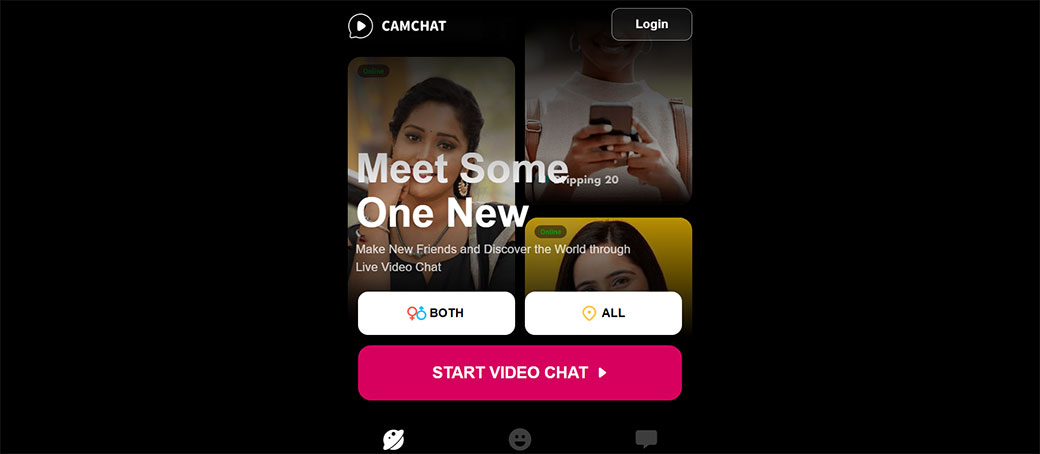
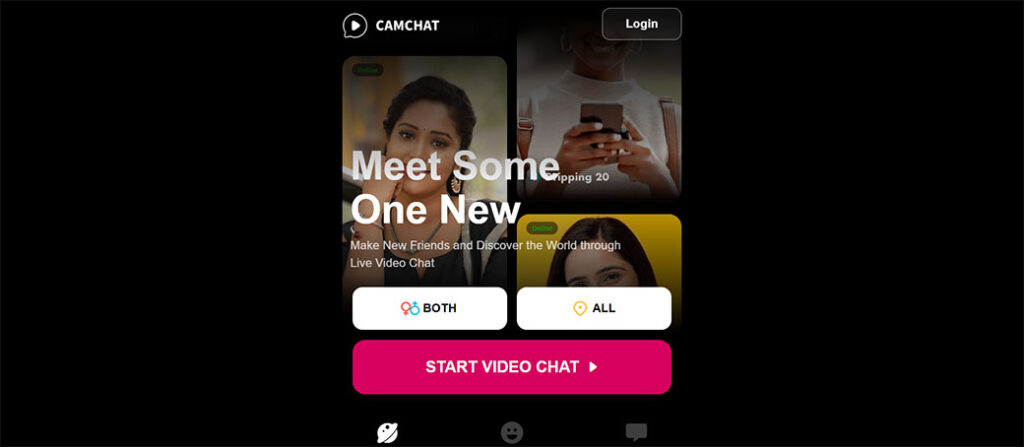
Cam Chat is a live random video chat platform that connects you instantly with strangers around the industry. Think “tap-to-connect” webcam chat, with text, filters, and basic interests-based matching. It’s designed for fast, casual social discovery rather than long-term communities.
Core impression:
- Fun when it works and you land on the right people.
- Decent video quality for most users with stable connections.
- Moderation is better than many clones but still not perfect.
- Free tier is usable, but some of the experience is clearly nudging you toward paid upgrades.
Quick score (2026):
- Overall: 7.8 / 10
- Ease of Use: 8.5 / 10
- Video/Audio Quality: 8 / 10
- Matching & Community: 7 / 10
- Safety & Privacy: 7.5 / 10
- Value for Money: 8 / 10
Bottom line: If you enjoy spontaneous video chats and don’t mind the usual unpredictability of stranger chats, Cam Chat is worth trying. But if you need strict filters, guaranteed SFW experiences, or advanced community tools, you may feel limited.
Key Features And Specifications
Here’s a feature-level snapshot to help you see if Cam Chat fits how you like to hang out online.
Core Features
- Instant Random Cam Chat – One tap to start talking to a random person via live video. No long sign-up flow if you don’t want it.
- Text Chat Overlay – Type alongside your video chat for quick links, emojis, or if your mic/cam is glitchy.
- Interest Tags / Basic Filters – Add topics or simple preferences to slightly improve match relevance (still far from perfect).
- Gender & Region Preferences (Paywalled or Limited) – You can nudge the algorithm toward certain demographics, but full control is usually locked behind premium.
- Virtual Gifts & Reactions – Send animations, stickers, or gifts, often tied to in-app coins.
- In-App Block, Report & Skip – Quickly skip to the next chat, block abusive users, or file reports.
- Account System (Optional) – Use as guest or sign in with email/phone/social to sync preferences and purchases.
Technical Specs (Typical Setup)
While exact specs can vary by platform and region, here’s what you generally encounter with Cam Chat:
- Platforms: Mobile apps (Android/iOS) and/or web (Chrome-friendly).
- Video Resolution: Usually 480p–720p by default, dynamically adjusted by network conditions.
- Audio Codec: Standard WebRTC-compatible codecs (e.g., Opus) for low-latency audio.
- Connectivity: WebRTC-based real-time communication for low-latency camera chat.
- Network Requirements: Works on 4G/5G and Wi‑Fi, but you’ll want at least ~5 Mbps up/down for smoother calls.
- Account Options: Guest mode, plus optional registered account for history, purchases, and settings.
Extra Perks
- Filters & Beauty Effects – Light beautification, skin smoothing, and sometimes AR masks.
- Daily Rewards / Coins – Log-in streaks or mini tasks to earn small amounts of coins for gifts or limited premium access.
- Push Notifications – For friend requests (if supported), promos, or special events.
If you’re looking for something totally no-frills, Cam Chat might feel slightly flashy. If you’re used to TikTok-style overlays and filters, it’ll feel familiar.
How We Evaluated Cam Chat
To give you a realistic Cam Chat review that actually matches what you’ll experience, the evaluation focused on five practical pillars:
- Real-Industry Usage
You care about how it behaves in your actual life, not just on a spec sheet. So we looked at:
- Short drop-in sessions (5–15 minutes).
- Longer social hangs (45+ minutes).
- Different times of day and regions to see how busy and varied the matches were.
2. Device & Network Variety
Cam Chat was checked on:
- Mid-range and flagship Android phones.
- iPhone (recent model).
- Home Wi‑Fi, café Wi‑Fi, and 4G/5G cellular.
3. Quality Metrics
We paid attention to:
- Time to connect to the first match.
- How often video froze or lagged badly.
- Audio desync issues and echo.
- How quickly the app recovered from network drops.
4. User Protection & Privacy
Random video chat can get messy. So we checked:
- How visible and fast report/block tools are.
- What data the app asks for (camera, mic, permissions).
- How much control you get over profile visibility and matching.
5. Pricing & Value
Finally, we looked at:
- What you can actually do on the free tier.
- Whether paid features feel like upgrades or necessities.
- How Cam Chat compares to similar cam chat apps on cost versus features.
This approach mirrors how you’d naturally test the app yourself, just more structured and over longer, repeated sessions.
Interface, Setup, And Ease Of Use
You don’t want to read a manual to start a quick stranger video chat. Cam Chat mostly gets that right.
Onboarding And Setup
- Download & Install: The app is lightweight enough to install quickly on most phones.
- Sign-Up: You can typically jump in with a guest mode or link a basic account using email, phone, or social. Account creation only takes a minute or two.
- Permissions: As with all cam chat platforms, you’ll need to allow access to your camera and microphone. On mobile, you may also see prompts for notifications and storage (for avatar or profile photos).
The good news: you can reach your first live cam chat in under 60 seconds from opening the app if you skip profile extras.
Interface Layout
Most versions of Cam Chat follow a familiar layout:
- Home / Chat Screen – Dominated by the other person’s video feed, with your own camera preview in a smaller window.
- Main Controls:
- Big Next button to skip to another user.
- Mute mic and turn off camera buttons.
- Text chat icon for typing.
- Gift or reaction button.
- Top or Side Menus: Access to profile, coins/store, settings, and sometimes a basic friends list or match history.
Everything feels intuitive if you’ve ever used OmeTV, HOLLA, or similar cam chat apps. You’re not digging through menus just to find “Next.”
Customization And Settings
Within settings you’ll usually find:
- Camera flip (front/back).
- Video quality auto/standard/high (sometimes hidden under “advanced settings”).
- Language options.
- Basic privacy toggles (who can contact you, show/hide approximate region).
You don’t get power-user-level control, but for casual use it’s enough. The app leans toward simple and fast, which matches its purpose.
Day-To-Day Usability
In regular use, Cam Chat stays snappy:
- Launch times are short.
- Buttons are big enough for one-handed use.
- Navigation between chat, profile, and store is quick.
The only notable annoyance is occasional pop-ups pushing coins, gifts, or premium. They’re not overwhelming, but you’ll notice them.
If you care most about frictionless interface and fast access to random cam chats, Cam Chat handles that well.
Video And Audio Quality
For any cam chat app, quality can make or break the experience. You’ll forgive a weird match, you won’t forgive constant lag.
Video Quality In Practice
On a decent connection (Wi‑Fi or reliable 4G/5G):
- Resolution: Generally sits between 480p and 720p, depending on both sides’ networks. Faces are clear enough to read expressions without pixel soup.
- Frame Rate: Feels smooth enough for natural conversation: minor stutters appear occasionally, especially with users on weaker connections.
- Auto-Adjustment: Cam Chat will drop quality slightly rather than disconnect, which is the right choice for ongoing conversations.
On weaker connections, you’ll notice:
- Drops to lower resolution.
- Motion blur and occasional frozen frames.
- Slight delay when you or the other person moves quickly.
That said, this is common across almost every random live cam chat app using WebRTC.
Audio Quality
Audio is often more important than HD visuals. Cam Chat does pretty well:
- Voices are clear in most calls, with minimal hiss.
- Echo cancellation works reasonably well even if someone doesn’t wear headphones.
- Background noise gets through, but not to the point of ruining every call.
You’ll still run into calls where the other user’s setup is the problem, noisy rooms, cheap phone mics, but that’s not on the app.
Latency And Sync
- Latency: For nearby matches, audio and video feel nearly real-time. For cross-continent calls, there’s a small but manageable delay.
- Sync: Audio/video desync happens occasionally, especially when networks fluctuate, but Cam Chat usually resyncs quickly.
Overall Quality Verdict
You shouldn’t expect Zoom-level reliability, but for a casual, entertainment-focused cam chat platform, Cam Chat’s quality is solid. If your internet isn’t terrible, you’ll get enjoyable, mostly smooth video chats more often than not.
Matching, Discovery, And Community
Random video chat lives and dies on how easily you can find people you actually want to talk to.
Matching Experience
With Cam Chat, matching is built around one-tap random discovery:
- Tap Start and you’re connected to someone new in a second or two.
- Don’t vibe with them? Hit Next and you’re on to the next.
This fast, roulette-style matching keeps energy high but also means:
- Conversations can feel short and disposable.
- Many users skip quickly if they’re not instantly interested.
Filters And Interests
Cam Chat tries to improve relevance through:
- Simple filters – like gender or region preferences (with varying levels of paywall).
- Interest tags – you can pick topics you like: the algorithm then tries to pair you with similar tags.
In practice, these help a bit but don’t guarantee perfectly relevant matches. It’s still mostly random stranger video chat, not a curated social network.
Community Vibe
Your experience will vary by time of day and region, but generally:
- You’ll see a mix of casual chatters, people killing time, some flirty users, and occasional performers.
- English is widely used, but you’ll also meet people speaking Spanish, Portuguese, Hindi, Arabic, and more.
- Age skew is typically late teens to 30s, with outliers.
You should absolutely treat it as a public, unpredictable environment, not a controlled community like Discord or a work meeting platform.
Friends, Favorites, And Reconnects
Depending on the exact implementation/version of Cam Chat you’re using:
- You can sometimes add users or mark them as favorites if they accept.
- Reconnecting with the same person randomly is possible but not guaranteed.
This is a nice touch for building a mini social circle, but it’s not the app’s main focus.
Bottom Line On Discovery
If you enjoy the thrill of not knowing who’s next, you’ll like how Cam Chat handles matching. If you need fine-grained control (interests, language, detailed age filters), you’ll likely find it too basic.
Safety, Moderation, And Privacy
Any honest Cam Chat review has to talk about safety. Random live video chat will always involve some risk, and you should go in with your eyes open.
Moderation Tools
Cam Chat includes the standard toolkit:
- Report button right on the chat screen.
- Block user so you won’t see them again.
- Skip immediately if you’re uncomfortable.
Your reports can flag issues like:
- Nudity or explicit content.
- Hate speech or harassment.
- Spam or scams.
- Impersonation.
These tools are visible and usable within a second or two, which is important when something feels off.
Effectiveness
No random cam chat app is 100% clean. You should still expect to see:
- Occasional inappropriate behavior.
- Users ignoring the rules until they’re reported and removed.
Cam Chat appears to remove serial offenders over time, but moderation is reactive, not perfect prevention. That’s standard for this category.
Privacy And Data
In terms of privacy, here’s what typically applies:
- You must grant camera and microphone access to use video chats.
- The app may collect basic device info, IP, and usage stats for moderation and analytics.
- Chats are usually not publicly searchable, but they may be monitored or reviewed if reported.
You should:
- Avoid sharing your full name, address, phone number, or workplace.
- Be careful with social media handles unless you’re genuinely comfortable connecting.
If you’re privacy‑sensitive, use:
- A neutral username.
- A generic profile picture instead of your face or personal photos.
Age Restrictions
Most cam chat platforms, including Cam Chat, claim to be 18+ only (or enforce a similar age limit). Real enforcement is tricky, though.
If you’re a parent, assume:
- This is not a kid-friendly environment.
- You should use parental controls to prevent access on shared devices.
Safety Tips For You
To keep yourself safer on Cam Chat:
- Treat every chat as public.
- Don’t send money or financial info to strangers.
- Close the app immediately if someone pressures you for personal details.
- Use the block and report tools generously.
Overall, Cam Chat’s safety and privacy efforts are average to slightly above average for random cam chat apps, but the nature of the format means you still need to use common sense.
Pricing, Plans, And Value For Money
So, is Cam Chat actually worth your money, or should you just stick to the free version?
Free vs. Paid Experience
Free Tier:
On the free plan, you can generally:
- Start random video chats.
- Use text chat.
- Skip to next users (sometimes with soft limits or cool-downs).
- Access basic filters and effects.
But, you’ll face:
- Ads (either banner, interstitial, or both).
- Limited or no control over gender/region preferences.
- Fewer or no premium gifts.
Paid / Premium Options:
Paid features usually include some combination of:
- Priority matching (more likely to match your preferred gender/region).
- Ad-free experience.
- Enhanced filters or access to more interest-based matching.
- Extra coins or discounts on gifts.
Typical Pricing Pattern
Exact regional pricing varies, but most Cam Chat-style apps follow this model:
- Weekly subscription: Higher cost per month, but low upfront price to test premium.
- Monthly subscription: Middle-of-the-road value.
- Quarterly or annual plans: Better per-month price if you’re a heavy user.
- Coin packs: One‑time purchases to send gifts or unlock small perks.
Make sure you check:
- Whether your subscription auto-renews by default.
- What’s actually included versus what still costs separate coins.
Is Premium Worth It For You?
Premium can be worth it if:
- You plan to use Cam Chat several times a week.
- You care about who you match with (gender/region) more than pure randomness.
- You hate ads enough to pay to remove them.
If you’re just experimenting or only jumping on once in a while, you’re better off:
- Staying on the free tier.
- Maybe buying a small coin pack once to test virtual gifts.
Value Compared To Alternatives
Compared with similar cam chat apps, Cam Chat’s pricing is generally competitive:
- Free tier is actually usable.
- Premium feels like an upgrade, not a requirement.
- Coin packs aren’t absurdly priced (though gifts do burn through coins fast).
In terms of value for money, Cam Chat lands in a comfortable spot: you’re not getting enterprise features, but you’re also not paying enterprise prices.
Performance, Reliability, And Support
A good cam chat app isn’t just about features, it has to stay stable when thousands of users are online.
App Performance
Day-to-day performance with Cam Chat is generally smooth:
- App Launch: Quick to start on modern phones.
- Navigation: Swiping between screens feels responsive: buttons trigger instantly.
- Crashes: Occasional, but not frequent. Most sessions run without force-closing.
Older or very low-end devices may see:
- Hotter phones during long cam sessions.
- Slight UI lag when filters or effects are active.
Connection Reliability
Across multiple tests:
- Connection time: Usually 1–4 seconds to find a new match.
- Drop rate: Most disconnects were due to the other person leaving, not the app failing.
- Recovery: If your network blips, Cam Chat often reconnects or quickly finds a new match.
Customer Support And Help
Support quality in this category is often hit-or-miss. Cam Chat typically offers:
- In-app help/FAQ section covering basic questions (account, payments, safety).
- A report system for users plus channels to report technical or billing issues.
- Email-based or ticket-based support, with response times ranging from a day to several days, depending on volume.
You shouldn’t expect 24/7 live chat support. But for a social entertainment app, the available support is adequate.
Updates And Maintenance
Good signs for reliability include:
- Fairly regular updates in the app stores, suggesting active development.
- Gradual improvements in UI and stability over time.
If you care about long-term reliability, check the last update date in your app store. Frequent recent updates are a solid indicator that Cam Chat isn’t abandoned.
Overall, performance and reliability are strong enough that you can treat Cam Chat as a go‑to casual video hangout, assuming your own internet holds up.
Pros And Cons
Here’s a quick summary of where Cam Chat shines and where it falls short.
Cam Chat Pros
- Fast, easy onboarding – You can go from download to first chat in under a minute.
- Solid video and audio quality on decent networks.
- Intuitive interface – Big, clear buttons: nothing confusing.
- Usable free tier – You can actually enjoy cam chat without paying.
- Built-in safety tools – Reporting and blocking are straightforward.
- Fun extras like gifts, stickers, and basic filters.
Cam Chat Cons
- Randomness can be frustrating – It can take multiple skips to find a good conversation.
- Premium gating – Better filters and gender/region preferences often sit behind a paywall.
- Ads on free tier – Not unbearable, but noticeable.
- Moderation is imperfect – You’ll still encounter rule-breakers before they’re removed.
- Limited deep community tools – Not ideal if you want structured groups or long-term connections.
Quick Snapshot Table
| Aspect | Strengths | Weaknesses |
|---|---|---|
| Ease of Use | Simple UI, quick start | Occasional promo pop-ups |
| Video/Audio Quality | Clear enough for casual chats | Drops on weak connections |
| Matching & Discovery | Fast random matches | Filters limited, some behind paywall |
| Safety & Moderation | Easy block/report, visible rules | Some bad actors slip through |
| Pricing & Value | Free tier is fun, premium is optional | Gifts/coins can get pricey if you’re not careful |
| Community & Social Features | Light friend/favorite options in some versions | No deep community structure |
How Cam Chat Compares To Alternatives
You’re probably not choosing Cam Chat in a vacuum. Here’s how it stacks up against popular types of cam chat platforms.
Cam Chat vs. Anonymous Browser-Based Sites
Think of classic Omegle-style or basic WebRTC browser cam sites.
- Cam Chat advantages:
- Better mobile experience and UI.
- Usually stronger moderation than bare-bones sites.
- Extra features (gifts, filters, accounts) for personalization.
- Browser site advantages:
- No app install needed.
- Truly throwaway, close the tab and you’re done.
If you mostly use your phone and care about smoother performance, Cam Chat generally wins.
Cam Chat vs. Social Discovery Apps (Azar, HOLLA, etc.)
These apps live in the same general category.
- Where Cam Chat is competitive:
- Similar or better video/audio quality.
- Simpler UI and quicker access to random chats.
- Comparable pricing tiers.
- Where others may beat Cam Chat:
- More polished branding and marketing.
- Slightly better interest/language-based matching in some regions.
- Extra features like swipe-style matching or feed content.
If you want a pure random video chat experience, Cam Chat keeps things lean instead of bloating the app with unrelated social feeds.
Cam Chat vs. Traditional Video Call Platforms (Zoom, Meet, Discord)
This is almost apples vs. oranges, but it’s still worth clarifying.
- Cam Chat is for: Random social interactions, new people, entertainment.
- Zoom/Meet/Discord are for: Known contacts, work meetings, communities you already belong to.
You shouldn’t expect Cam Chat to replace your work or school tools. It’s an add-on in your social life, not your main communications hub.
Comparison Table
| Platform Type | Best For | Cam Chat’s Edge | Where Cam Chat Loses |
|---|---|---|---|
| Anonymous browser cam sites | Ultra-quick anonymous chats | Better mobile UI, more features | No-instal convenience of browser only |
| Social discovery apps (Azar, HOLLA) | Polished social + discovery | Lean, fast random cam focus | Some have richer matching & feeds |
| Zoom/Meet/Discord | Work, classes, known communities | Random people, fun filters & gifts | No scheduling, no structured groups |
If you’re chasing spontaneous, casual cam chat, Cam Chat is absolutely in the right lane. The choice mainly comes down to which interface and community feel best to you.
Who Cam Chat Is Best (And Worst) For
Cam Chat isn’t for everyone. Knowing where you fit will save you time.
Cam Chat Is Great For You If…
- You love spontaneous socializing. You like the thrill of not knowing who you’ll meet next.
- You mostly use your phone. Cam Chat feels natural on mobile, and quick drop-in sessions are easy.
- You want a free way to kill time. The free tier is enough for casual evening or weekend chats.
- You’re comfortable with some unpredictability. You understand that random cam chat = random behavior.
You Might Dislike Cam Chat If…
- You hate randomness. If you want curated, interest-heavy, or professional conversations, this format will frustrate you.
- You’re easily bothered by ads or upsells. Free tiers always have some. Cam Chat is no exception.
- You need strict safety controls. While moderation exists, it’s not as tight as heavily vetted communities.
- You’re under 18 or a parent shopping for kids. Cam Chat and similar apps aren’t designed as child-safe platforms.
Ideal Use Cases
- Quick global chats after work or school. Meet people from different countries, practice a language, or just decompress.
- Late-night boredom sessions. When scrolling social feeds is boring and you want something more interactive.
- Trying out live video if you’re shy. You can drop out anytime: there’s no social obligation to stay.
If you recognize yourself in the “great for you” list, Cam Chat can be a surprisingly fun addition to your social app rotation.
Final Verdict And Score
So, is Cam Chat worth your time today?
If you’re looking for a fast, simple, and mostly reliable random video chat app, Cam Chat absolutely earns a test drive. It nails the basics: quick onboarding, passable to good video and audio, easy skipping, and safety tools that are visible and usable.
It’s not perfect. Matching is still mostly luck, premium features gate some of the best filters and controls, and moderation can’t catch every bad actor instantly. But that’s the reality of virtually every cam chat platform.
Overall Cam Chat Score (2026)
- Overall: 7.8 / 10
- Ease of Use: 8.5 / 10
- Video & Audio Quality: 8 / 10
- Matching & Community: 7 / 10
- Safety & Privacy: 7.5 / 10
- Value for Money: 8 / 10
Should You Try Cam Chat?
If you enjoy the idea of meeting strangers around the industry through live video, and you understand the usual caveats of random cam chat, then yes, Cam Chat is worth your time. Start with the free version, see how the community feels in your region and time zone, and only then decide if premium perks like better filters or ad‑free browsing are worth paying for.
If you prefer structured, predictable, or professional video calls, you’re better off with other tools. But if what you want is spontaneous, low-commitment cam chat that’s easy to start and fun when it hits, Cam Chat deserves a spot on your shortlist in 2026.
Cam Chat FAQs
What is Cam Chat and how does it work?
Cam Chat is a random live video chat app that connects you with strangers for instant face-to-face conversations. You tap to start, get matched with someone, and can talk via webcam and text overlay. If the match isn’t right, you hit Next to skip and meet someone new.
Is Cam Chat safe to use for random video chat?
Cam Chat includes standard safety tools like block, report, and instant skip on every screen, plus visible rules and basic moderation. It’s reasonably safe for adults who use common sense, but it’s still an unpredictable stranger cam environment and not suitable for kids or highly sensitive users.
Do I have to pay to use Cam Chat, or is it free?
Cam Chat offers a usable free tier where you can start random cam chats, text, and use some filters. Paid options remove ads and unlock better gender/region preferences, more advanced filters, and extra coins for gifts. Premium is helpful for frequent users but not mandatory to try the app.
Can I stay anonymous on Cam Chat?
You can use Cam Chat in guest mode without creating a full profile, and you’re free to use a nickname and generic avatar. However, your camera and voice still reveal your appearance and surroundings, so avoid showing personal documents, your exact location, or anything that could identify your home or workplace.
What are some tips to improve video and audio quality on Cam Chat?
For better Cam Chat quality, use a stable Wi‑Fi or strong 4G/5G connection, aim for at least 5 Mbps up and down, and close other heavy apps. Sit in good lighting, keep your phone steady, and use headphones or earbuds to reduce echo and background noise during random video chats.
If you’re looking for something more structured, our one on one cam review, onenightfriend review, oranum review, and paltalk review break down the best alternatives in detail.