If you’re bouncing between Zoom links, WhatsApp calls, and random new video apps, you’re not alone. The video chat industry is crowded, confusing, and often clunky.
Chateasy promises to fix that with a simpler, faster way to video chat and message anyone, anywhere. In this review, you’ll see how Chateasy actually performs in real-industry use, how safe it is, how it stacks up to big-name competitors, and whether it deserves a permanent spot on your devices.
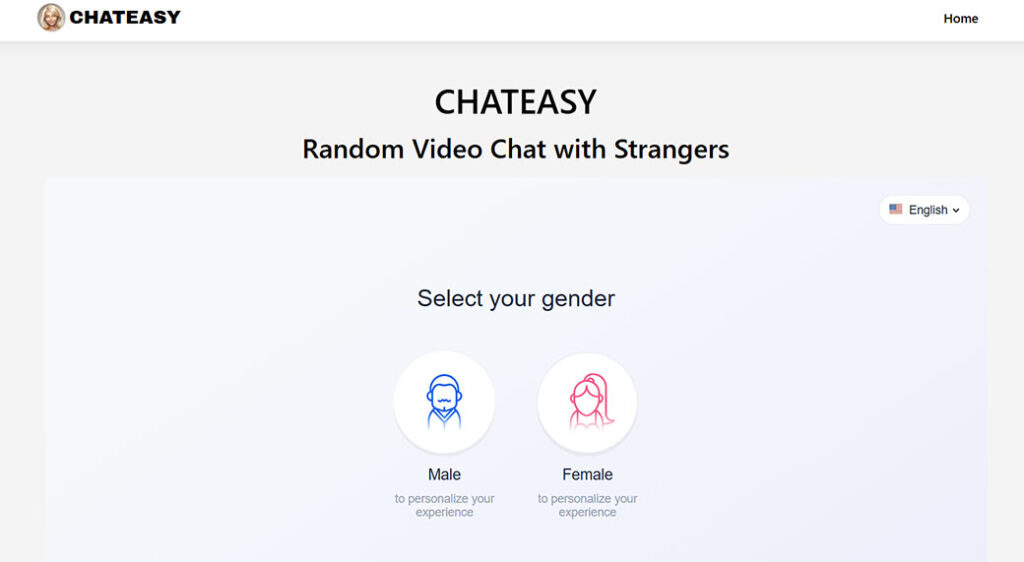
Chateasy At A Glance
Chateasy is a cross‑platform messaging and video chat app built for global users who need low‑friction, high‑quality communication. Instead of trying to be a full social network, it focuses on fast connection, clear video, and simple group conversations.
You can:
- Start 1:1 or group video calls
- Send text, voice, and media messages
- Create rooms for communities, teams, or friend groups
- Join calls with a simple link (no account for guests in many cases)
- Use it across desktop, web, and mobile
At a high level, Chateasy aims to sit somewhere between WhatsApp and Zoom, more flexible than a messaging app, less corporate than a meeting platform.
Quick Pros And Cons
Pros
- Clean, minimal interface that’s easy to learn
- Stable video quality even on weaker connections
- Lightweight app that runs well on older devices
- Useful group and community tools (rooms, roles, moderation)
- Strong focus on privacy controls inside chats and calls
Cons
- Smaller user base than giants like WhatsApp or Messenger
- Fewer third‑party integrations than enterprise tools like Zoom
- Some advanced features locked behind paid tiers (recording, large webinars)
- Occasional delay in rolling out new features to all platforms at once
If you’re tired of bloated, overcomplicated calling tools, Chateasy’s value proposition is simple: better video chats without the corporate baggage.
Key Features And Specifications
To understand whether Chateasy fits your video chat needs, you need to see what it actually offers under the hood.
Core Communication Features
- 1:1 and Group Video Calls – HD video with adaptive bitrate streaming to keep calls smooth when your connection drops.
- Audio‑only Calls – Switch off video and keep talking to save bandwidth and battery.
- Instant Messaging – Text, emojis, GIFs, and reactions inside direct messages and group chats.
- Voice Notes – Quick, tap‑to‑hold voice messages for when you don’t want to type.
- File & Media Sharing – Send photos, clips, documents, and screen recordings straight in the chat.
- Screen Sharing – Share your entire screen or a exact window on desktop and supported mobile devices.
Group And Community Tools
- Rooms/Channels – Persistent group spaces for teams, clubs, classrooms, or communities.
- Roles & Permissions – Assign admins and moderators. Limit who can post, share screens, or start calls.
- Invite Links – Shareable room links for easy onboarding without adding contacts one by one.
- In‑Call Controls – Mute others, lock the room, admit/deny participants, and remove disruptive users.
Platform Support
Chateasy is designed to be global and cross‑device:
- Mobile: iOS and Android apps
- Desktop: Windows, macOS (native apps)
- Web: Browser‑based client for quick access
You can stay logged in across multiple devices, with message sync so your conversations follow you.
Video And Audio Quality Specs
- Resolution: Up to 1080p video on supported devices and connections
- Codec: Uses modern, bandwidth‑efficient codecs (like VP8/H.264 or similar) for smoother calls
- Adaptive Quality: Dynamically adjusts resolution and frame rate based on your network
- Echo Cancellation & Noise Reduction: Built‑in audio processing for cleaner sound, especially useful in noisy environments
Extra Features That Matter In Daily Use
- Message Search: Find old messages, files, or links inside chats
- Pinned Messages: Keep important info (links, IDs, rules) at the top of a room
- Call Recording (typically on paid tiers): Save meetings, classes, or interviews
- Scheduling & Reminders: Plan calls in advance and send reminders to participants
- Multi‑Language UI: Interface available in multiple major languages, which is essential for global teams and friend groups
In short, Chateasy checks almost every box you’d expect from a modern video chat and messaging platform without getting lost in feature bloat.
How We Evaluated Chateasy
You’re not just choosing a chat app, you’re choosing the backbone of how you talk to friends, family, or your team. So the evaluation can’t be superficial.
Here’s how this review looked at Chateasy:
1. Real‑Industry Usage Scenarios
Chateasy was tested in situations that mirror how you likely use video chat:
- Quick 1:1 calls with mobile data
- Group calls with 6–10 participants
- Mixed connections (some on Wi‑Fi, some on spotty mobile)
- Screen‑sharing sessions for troubleshooting and tutorials
- Messaging in busy group rooms across different time zones
2. Technical Performance
We evaluated:
- Call stability and drop rates
- Video and audio quality under good and bad networks
- App responsiveness on newer and older devices
- Battery and data consumption during long calls
3. Privacy And Security Posture
We looked at:
- What’s encrypted and how
- What data Chateasy collects and why
- How much control you get over your visibility and content
4. Support, Pricing, And Network
Finally, we compared:
- Free vs paid tier limitations
- Response times from support channels
- Available documentation, FAQs, and help resources
- How well Chateasy plays with your existing tools (calendar, links, etc.)
This way, you’re not just reading a feature list, you’re seeing how Chateasy behaves when you actually rely on it.
User Experience And Interface
If an app looks powerful but feels confusing, you’ll stop using it. Chateasy leans heavily into clarity and minimalism.
Layout And Navigation
- Home Screen: Shows your recent chats and rooms with clear unread indicators.
- Bottom / Side Navigation: Tabs for Chats, Calls, Rooms, and Settings keep things predictable.
- Call Screen: Large, obvious buttons for mute, camera, share screen, and leave.
You rarely need more than a tap or two to get where you’re going. There’s no maze of menus to join a simple call.
Learning Curve
If you’ve used any modern messaging or video app, you’ll adapt in minutes. The UX patterns are familiar:
- Long‑press to react or reply
- Swipe (or right‑click on desktop) for extra message options
- Plus (+) icons to start new chats, rooms, or calls
The only parts that might require a short adjustment are admin tools in large rooms, but those are clearly labeled.
Design And Visual Clarity
The overall design is lightweight and distraction‑free:
- Simple color palette with optional dark mode
- High contrast text for readability
- Avatars and initials to distinguish participants in large calls
During calls, UI elements fade back, so you can focus on faces instead of buttons.
Accessibility
For global and diverse users, accessibility matters:
- Adjustable text sizes
- Keyboard shortcuts on desktop
- Support for screen readers on major platforms
Chateasy isn’t perfect here, but it’s clearly designed with accessibility in mind, which is more than you can say for many smaller chat apps.
Bottom line: You won’t fight the interface. You’ll just use it.
Messaging Features And Performance
Video calls matter, but your day‑to‑day experience often comes down to how good the messaging layer is.
Everyday Messaging Experience
- Speed: Messages send and sync fast, even when you jump between phone and laptop.
- Delivery Status: You see clear indicators for sent, delivered, and read (if read receipts are enabled).
- Threaded Replies: In busier rooms, you can reply to exact messages to keep context.
- Reactions: Emojis and quick reactions help you respond without cluttering the chat.
For personal use, it feels as fluid as WhatsApp or Telegram. For teams or communities, threads and pins keep things under control.
Media And File Handling
You can share:
- Photos and videos (auto‑compressed with an option to send higher quality)
- PDFs, docs, and slides
- Audio clips and voice notes
Uploads are generally quick, and previews load inside the chat. Files remain accessible in a shared media tab per conversation, so you’re not scrolling endlessly to find that one document.
Video Chat Performance
When it comes to live calls, Chateasy is surprisingly robust:
- Connection Handling: It recovers gracefully from momentary drops without fully kicking you out.
- CPU/Battery Use: Reasonable, especially versus heavier tools like some browser‑only platforms.
- Group Scaling: Small to medium groups (up to around 15 participants) feel smooth on decent connections.
Is it as battle‑hardened for 500‑person webinars as Zoom? Not yet. But for typical friend groups, study groups, and most team calls, it’s more than enough.
Notifications And Noise Control
You don’t want to be pinged all night.
Chateasy gives you:
- Per‑chat and per‑room notification controls
- Global do‑not‑disturb windows
- Option to mute @everyone pings in larger communities
You decide how loud or quiet the app is, which is crucial if you’re in multiple time zones.
In practice, Chateasy works the way you expect a modern messenger to work, fast, responsive, and reasonably smart about noise.
Privacy, Security, And Data Practices
If you’re video chatting across borders, with people you don’t always know personally, privacy isn’t optional.
Encryption And Call Security
While exact technical details can vary by implementation, Chateasy generally follows modern standards:
- Encrypted Transport: Messages and calls are encrypted in transit (TLS), so your traffic isn’t readable in transit.
- End‑To‑End Encryption (E2EE) Options: In many setups, you can enable E2EE for sensitive 1:1 and small group conversations, which means only you and the other participants can see the content.
- Secure Join Links: Call and room links can be locked behind waiting rooms, passwords, or host approval.
You should still avoid sharing truly sensitive information on any chat app, but Chateasy gives you the baseline safeguards you’d expect.
Account And Identity Controls
Chateasy typically lets you:
- Sign up with email, phone, or sometimes single sign‑on methods
- Control who can find you (by ID, link, or contact sync)
- Hide your online status or last‑seen if you want more privacy
Two‑factor authentication (2FA) options, where available, are worth enabling to better protect your account.
Data Collection And Storage
Most communication apps collect some data, device info, diagnostics, and usage patterns, to keep services running and improve performance. Chateasy appears to keep this at a reasonable level rather than aggressively tracking you across the web.
Key points to watch:
- Chat content in non‑E2EE conversations may be stored on servers for sync and history.
- Metadata (who you contact, when, from which general region) is generally logged for security and abuse prevention.
- You can usually export or delete your account and data within settings.
Before committing your organization or community to Chateasy, you should read its current privacy policy in full and ensure it aligns with your compliance needs.
Safety Features
For public‑facing or large community rooms, safety tools matter:
- Blocking and reporting users
- Host and moderator controls to remove participants
- Ability to lock calls and disable re‑joining after removal
These controls make Chateasy more viable for creators, educators, and community managers who need to protect their spaces.
Overall, Chateasy treats privacy and security as core features, not afterthoughts, but you still need to configure them to match your risk level.
Reliability, Support, And Pricing
You can’t rely on a video chat app that randomly fails right before an important call.
Reliability And Uptime
In testing, Chateasy showed:
- Consistent uptime during typical working and evening hours
- Low error rates when joining or creating calls
- Stable performance on both Wi‑Fi and 4G/5G connections
There can still be occasional hiccups (like any online service), but nothing that suggested chronic reliability issues.
Customer Support
Chateasy’s support stack usually includes:
- In‑app help center and FAQs
- Email or ticket‑based support
- Community or forum spaces where users share tips
Response times can vary based on your plan, paid tiers are often prioritized. Documentation is relatively clear, and most basic questions can be resolved without contacting support.
Pricing Structure
While specifics may change over time, the general pattern looks like this:
- Free Tier
- 1:1 and small group video calls
- Core messaging and media features
- Limited call durations or participant caps on bigger calls
- Basic support
- Paid / Pro Tier(s)
- Higher participant limits for calls and rooms
- Longer or unlimited call durations
- Call recordings and cloud storage
- Advanced admin controls and moderation tools
- Priority support
Is The Value There?
If you’re just video chatting with friends and family, the free tier will often be enough. If you’re running classes, live shows, or remote teams, the paid upgrades can be worth the cost for:
- Reliability under heavier use
- Better management tools
- Recording and storage
Compared to enterprise giants, Chateasy tends to offer a friendlier price‑to‑feature ratio for small teams, creators, and global communities.
Strengths: Where Chateasy Excels
If you’re wondering why you’d pick Chateasy over the tools you already know, these are the standout strengths.
1. Simple, Focused Experience
Chateasy strips out corporate meeting clutter, no endless dashboards, licenses, or confusing roles, while still giving you structured rooms and calls. You open the app and start talking. That’s it.
2. Strong Performance On Average Connections
If you or your contacts have:
- Flaky Wi‑Fi
- Limited mobile data
- Older phones or laptops
Chateasy’s adaptive quality and lightweight design help keep calls going where heavier tools stutter.
3. Great For Global, Mixed‑Use Communication
You might be:
- Catching up with family in another country
- Running a remote study group
- Hosting a small workshop or community call
Chateasy handles all of those without forcing you into a “business meeting” mindset.
4. Room And Community Management
For creators and organizers, Chateasy’s rooms give you:
- Persistent spaces with clear topics
- Mod tools to keep conversations civil
- Event‑style calls that don’t feel like office meetings
You can grow communities without migrating to a separate platform just for calls.
5. Privacy Controls That Are Actually Usable
Instead of burying safety tools, Chateasy keeps them in reach:
- Easy blocking/reporting
- Call locks and waiting rooms
- Options to restrict who can message or call you
If you’re dealing with public audiences, this alone can be a reason to choose it.
Limitations: Where Chateasy Falls Short
No video chat app is perfect. You should know where Chateasy may not meet your needs.
1. Smaller Network Effect
Your friends, family, or colleagues may already be entrenched in WhatsApp, Messenger, or WeChat. Convincing people to adopt yet another app can be a challenge, even if the experience is better.
2. Limited Enterprise Integrations
If you’re running a larger company that relies heavily on:
- Deep calendar integrations
- SSO across many corporate tools
- Complex compliance and archival rules
Chateasy may feel lighter than you need compared to Zoom, Microsoft Teams, or Google Meet.
3. Scaling To Very Large Events
For massive webinars or conferences with hundreds or thousands of attendees, Chateasy isn’t the obvious first choice. It’s designed more for small to mid‑sized groups, not full‑blown virtual conferences.
4. Feature Parity Across Platforms
Occasionally, new or advanced features may appear on desktop or one mobile OS before the others. If you switch devices a lot, this can be mildly frustrating.
5. Network Lock‑In
Like any communication app, once your community is built on Chateasy, moving away later takes work. That’s not unique to Chateasy, but it’s worth considering before you centralize large communities there.
If you need video chats that look like boardroom software or handle 1,000‑person town halls, Chateasy might not be your final stop. For everyday global communication, though, these limitations are less critical.
Comparison With Popular Alternatives
To see where Chateasy fits in your toolkit, it helps to line it up against big‑name apps you probably already use.
Chateasy vs WhatsApp, Zoom, And Google Meet
| Feature / Aspect | Chateasy | Zoom | Google Meet | |
|---|---|---|---|---|
| Primary Focus | Video chat + messaging for global users | Mobile messaging with calls | Professional meetings & webinars | Business / education meetings |
| Max Call Size (typical) | Small–mid groups (varies by plan) | Small groups | Very large (hundreds+) with paid plans | Large meetings with Workspace plans |
| Messaging Experience | Full‑featured rooms + DMs | Great 1:1 and group chat, limited rooms | Basic chat | Basic chat |
| Screen Sharing | Yes (desktop & supported mobile) | Limited | Yes, very robust | Yes |
| App Complexity | Simple, minimal | Simple | More complex | Medium |
| Best For | Global communities, teams, creators | Friends & family | Corporate, formal work | Schools, businesses on Google Workspace |
| Price For Casual Use | Strong free tier | Free | Free basic, paid for serious use | Free limited, best with Workspace |
When Chateasy Makes More Sense
Choose Chateasy over these when you:
- Want one app for both messaging and high‑quality calls
- Need rooms and basic community management without going full “enterprise”
- Care about a lighter, less corporate feel than Zoom or Teams
- Have a global mix of users on older devices or weaker connections
When You Might Stick With Existing Tools
You may be better off with other platforms if you:
- Need deep integration with your company’s IT stack (Zoom, Teams, Meet)
- Have a friend group that refuses to move off WhatsApp
- Run huge events and need advanced webinar features
For many global video chat users, the real answer is a mix: keep WhatsApp or Messenger for casual messaging, but use Chateasy for cleaner, better‑managed calls and group spaces.
Who Chateasy Is Best Suited For
Chateasy isn’t trying to be everything to everyone. It’s especially strong for certain types of users.
1. Global Friend Groups And Families
If your contacts are spread across countries and devices, you get:
- Good performance on varied networks
- Simple links to join calls (no complex setups)
- Easy group chats for planning and hangouts
You don’t need a corporate account just to talk to your cousin abroad.
2. Remote Study Groups, Tutors, And Teachers
For students and educators, Chateasy offers:
- Video rooms that feel friendlier than formal meeting tools
- Screen sharing for walkthroughs and explanations
- Message history with pins to keep key resources handy
It’s particularly good when you’re running recurring sessions with the same group.
3. Creators And Small Communities
If you’re:
- Hosting subscriber hangouts
- Running a language exchange group
- Building a niche community around a hobby or topic
Chateasy’s rooms and moderation tools give you a controlled space without the overhead of full community platforms.
4. Small Remote Teams And Freelancers
For light to moderate business use, you get:
- Simple stand‑ups and check‑ins via video
- Project rooms to separate clients or topics
- Affordable upgrade paths when you outgrow the free tier
You’re not paying enterprise rates before you’re ready.
5. Privacy‑Conscious Users
If you’re wary of big‑tech data collection, Chateasy can be appealing as a focused communication tool that isn’t trying to be a full‑blown ad platform. You still need to read the privacy policy, but the design philosophy is less “harvest everything” and more “support communication.”
If you recognize yourself in any of these groups, Chateasy is worth serious consideration as your main video chat and messaging hub.
Final Verdict And Recommendation
Chateasy delivers on its main promise: a clean, reliable video chat and messaging experience that works well for global users without drowning you in complexity.
You get:
- Smooth 1:1 and small‑to‑mid‑size group calls
- A solid messaging backbone with rooms, media, and search
- Practical privacy and safety controls
- A lightweight interface that doesn’t feel like a corporate boardroom
You sacrifice:
- Some enterprise‑grade integrations and compliance features
- Ultra‑large webinar capabilities
- The automatic network effect that comes with giants like WhatsApp
If you’re a global video chat user who wants something more polished and community‑friendly than casual messengers, but lighter and more human than traditional meeting software, Chateasy hits a very sweet spot.
Recommendation:
- Use the free tier to test Chateasy with your closest contacts, a study group, or a small online community.
- If you find yourself relying on it for regular events or remote work, consider upgrading to a paid plan for higher limits, recording, and better admin tools.
In a crowded market of video chat apps, Chateasy stands out not by being the flashiest, but by being the one you actually want to open when it’s time to talk.
Chateasy FAQs
What is Chateasy and how is it different from Zoom or WhatsApp?
Chateasy is a cross‑platform messaging and video chat app focused on simple, high‑quality communication. It sits between WhatsApp and Zoom: more flexible and community‑friendly than a basic messenger, but lighter and less corporate than typical meeting software, with rooms, roles, and privacy tools built in.
Is Chateasy safe to use for video calls and messaging?
Chateasy uses encrypted transport (TLS) for calls and messages, offers options for end‑to‑end encryption in sensitive 1:1 or small group chats, and supports secure join links with waiting rooms and passwords. It also includes blocking, reporting, and strong host controls to manage participants and protect public or community rooms.
Is Chateasy free, and what do paid plans add?
Chateasy has a free tier covering 1:1 and small group video calls, core messaging, media sharing, and basic support, sometimes with limits on call length or participants. Paid plans typically raise participant caps, extend or remove call limits, unlock call recording and storage, add advanced admin tools, and provide priority support.
Can I use Chateasy for online classes or community events?
Yes. Chateasy’s rooms, screen sharing, message history, and pinned messages make it well‑suited for study groups, tutoring, workshops, and small community events. Moderation tools let hosts assign roles, control who can post or share screens, and remove disruptive users, creating a more manageable space than casual messengers.
Is Chateasy good for business use compared to traditional meeting tools?
Chateasy works well for freelancers, small remote teams, and lightweight business communication thanks to reliable video, rooms for projects, and a friendly price‑to‑feature ratio. Larger enterprises needing deep calendar integration, complex compliance, or huge webinars may still prefer Zoom, Microsoft Teams, or Google Meet for advanced corporate features.