
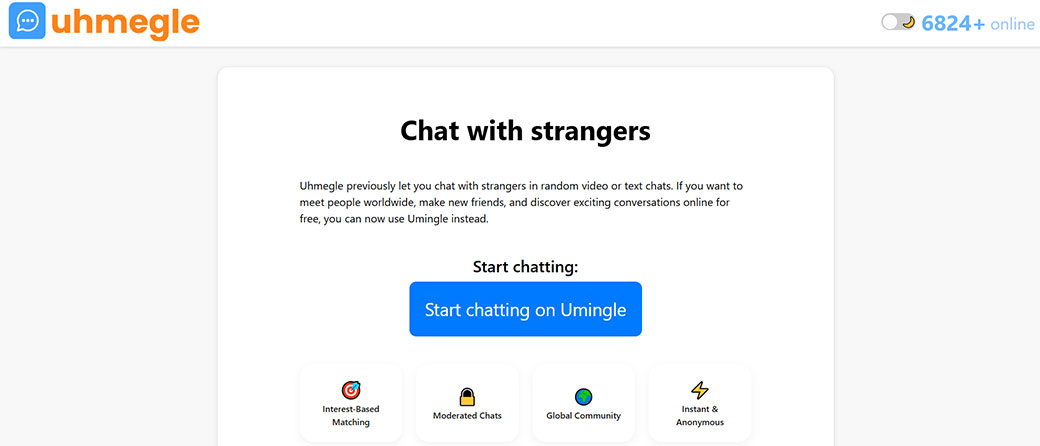



If you’re looking for an Omegle alternative in 2026, Uhmegle has probably popped up on your radar.
The big question isn’t just “Does it work?” but “Is Uhmegle actually safer than Omegle ever was?” This review walks you through how Uhmegle works, what it does well, where it falls short, and whether you should trust it for anonymous video chat in 2026.
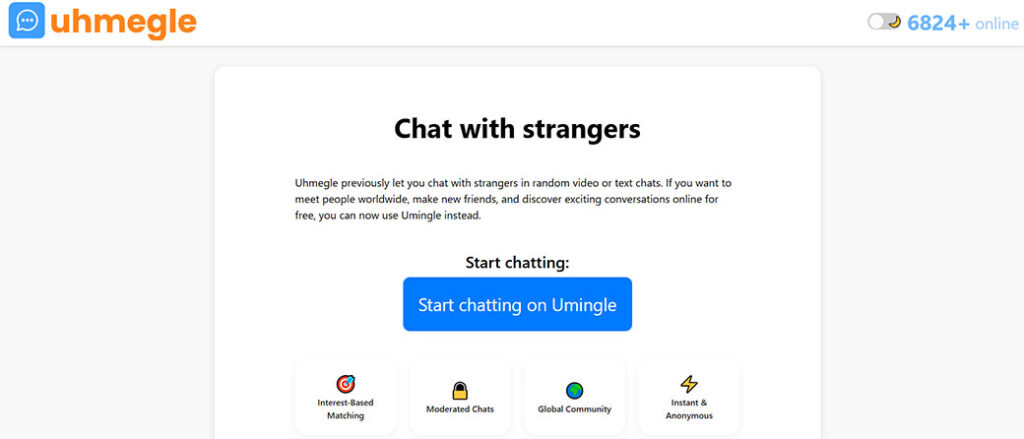
At A Glance: What Uhmegle Is And How It Works
Uhmegle is a random video chat platform that tries to fill the hole Omegle left behind. Like Omegle, it connects you with strangers around the industry for instant video, audio, or text conversations. There’s no long signup form, no profile building, and very little friction.
Core idea
You click a button, your camera turns on (if you allow it), and you’re matched with another user. If you’re not feeling the match, you hit Next and move to someone new. That’s the entire loop.
Basic flow
- Visit the Uhmegle website in your browser.
- Accept the terms of use and age confirmation (13+ or 18+, depending on region and mode).
- Allow or deny camera/microphone permissions.
- Choose video or text-only chat.
- Click Start and you’re in a one‑to‑one chat with a random stranger.
There’s no mobile app at the time of writing: Uhmegle is browser-based, which means you use it on desktop, laptop, or mobile browsers.
Positioning vs Omegle
Uhmegle clearly markets itself as an Omegle-style platform:
- One‑click matching instead of accounts and friend lists.
- Anonymous chats instead of social profiles and handles.
- Global reach: you can meet people from almost anywhere.
Where it claims to differ is on moderation, safety prompts, and age controls. Whether it actually delivers on those claims is what the rest of this review focuses on.
Key Features, Pricing, And Technical Specs
Even though Uhmegle looks simple, you should know what’s under the hood before you rely on it.
Key features
- Random video chat
Instant one‑to‑one video matching with strangers.
- Text-only chat mode
You can disable your camera and talk via text only. This is useful if you’re camera‑shy or want a bit more anonymity.
- Interest tags / filters (limited)
Uhmegle occasionally offers basic interest tags so you can be matched with people who picked similar topics (e.g., gaming, music, language practice). These are not as deep as full social profiles, but they slightly reduce the feeling of total randomness.
- Skip/Next button
You can instantly leave a chat and move to another person with a single click or tap.
- NSFW / adult mode separation (where available)
Some versions or mirror sites of Uhmegle separate “adult” content areas from general chat. In practice, this separation is imperfect, and you shouldn’t assume strict enforcement.
- Report and block options
You can report abusive or illegal behavior. Reports are supposed to feed into moderation and bans.
- Anonymous usage
You don’t need a real name, email, or phone number to start using Uhmegle in its basic form.
Pricing
Uhmegle is free to use at the time of writing.
You may see:
- On‑site ads to fund operations.
- Occasional references to “premium” or “VIP” features (faster matching, extra filters, or ad‑free), but these are often experimental or region‑exact.
If any payment is involved, treat it with caution, use only secure payment methods and never share financial information in chat.
Technical specs and requirements
- Platform: Web-based (no official app).
- Devices: Desktop, laptop, tablets, and mobile phones using a modern browser (Chrome, Edge, Firefox, Safari).
- Permissions: Camera and microphone (for video chat), plus basic browser cookies.
- Bandwidth: For decent video:
- At least 3–5 Mbps upload and download recommended.
- On slower connections, video may downgrade or freeze.
- Video tech: Uses peer‑to‑peer WebRTC-style connections (similar to many modern browsers and chat apps), which reduces latency but can have privacy implications if not handled correctly.
Quick feature snapshot
| Feature | Uhmegle (2026) |
|---|---|
| Random video chat | Yes |
| Text-only chat | Yes |
| Account required | No (basic use) |
| Interest matching | Limited / basic tags |
| Built-in language filters | Very limited / not reliable |
| Age verification | Self-declared, not robust |
| Moderation tools | Report/block, basic filters |
| Price | Free (ad-supported) |
| Official mobile app | No |
How We Evaluate Uhmegle
To judge whether Uhmegle is truly a safe Omegle alternative, you need more than surface impressions. Here’s the evaluation framework used in this review:
1. Safety and moderation first
Anonymous video chat attracts spam, nudity, harassment, and sometimes illegal behavior. So the primary lens is:
- How fast and effective is moderation?
- Are there clear safety warnings and controls?
- Is there any sign of real age protection?
2. Real-industry usability
A platform can be “safe” but unusable. You also care about:
- Ease of starting a chat.
- Clarity of the interface.
- How often calls connect cleanly.
- Whether you’re constantly matched with bots or scammers.
3. Technical reliability
Because Uhmegle is browser-based, connection quality can vary. We look at:
- Video and audio stability.
- Latency and lag on mid‑range connections.
- Device and browser compatibility.
4. Community and culture
Even with perfect tech, a platform can be terrible if the community culture is toxic. Evaluation includes:
- Ratio of genuine users to exhibitionists/trolls.
- Prevalence of adult content in “general” areas.
- How welcoming it feels to non‑male users, LGBTQ+ users, and younger users.
5. Transparency and privacy
Finally, anonymous doesn’t automatically mean private. We look at:
- What data Uhmegle collects (IP, cookies, device info).
- How transparent the privacy policy is.
- Whether it exposes your IP to peers or uses relays.
This mix of factors lets you decide if Uhmegle is just “Omegle 2.0” or something meaningfully different.
User Experience And Interface
Uhmegle’s interface is intentionally minimal. That’s part of the appeal, and part of the problem.
Getting started
You land on the home page and see:
- A large Start or Video Chat button.
- A small text link for text-only chat (if offered).
- Terms, disclaimers, and sometimes age notices.
You can be in a live video chat within 10–20 seconds if your browser permissions are already set. There’s no onboarding and almost no friction.
Layout and controls
In a typical Uhmegle session, you see:
- Your video feed in a small preview window.
- The stranger’s feed as the main window.
- Buttons for:
- Next (skip to another user)
- Stop (end session)
- Report (flag user)
- Mute / disable camera
Most of the screen is the video, with minimal visual noise.
UX strengths
- Fast and simple: You don’t need to learn anything. Even if you’ve never used a video chat app before, the UI is self‑explanatory.
- Low cognitive load: No timelines, no DMs, no followers. Just a direct human‑to‑human connection.
- Good for short, casual use: If you want a 5‑minute distraction or to practice a language quickly, this simplicity works.
UX weaknesses
- No meaningful onboarding about safety: Warnings are typically buried in fine print. If you’re new, it’s easy to overlook basic safety advice.
- Limited filters: You can’t reliably filter by language, region, or age. This randomness is part of the “fun,” but it hurts user control.
- Not very accessible: There are few accessibility features, no captions, no thoughtful keyboard navigation, and no clear accommodations for hearing‑impaired users.
If you enjoyed Omegle’s stripped-down approach, Uhmegle will feel familiar. But if you’re used to polished apps like Discord, Zoom, or modern social platforms, it’ll feel very barebones.
Features And Functionality In Daily Use
Once you’re actually using Uhmegle for more than a quick curiosity click, a different picture emerges.
Matching quality
Because matching is mostly random, your experience will swing widely:
- Some chats are genuinely interesting, people learning languages, sharing hobbies, or just killing time.
- Many chats end in 1–3 seconds because the other person skips instantly.
- A noticeable portion of matches may be sexual content, exhibitionism, or spam, even outside clearly labeled adult modes.
So you spend a good amount of your time clicking Next until you find someone who wants to talk.
Conversation tools
Uhmegle doesn’t offer advanced features like:
- Reactions or emojis overlayed on video.
- Screensharing or file transfer.
- In‑app translation or auto-captioning.
You typically have access to:
- Text chat alongside video for typing URLs, usernames (at your own risk), or text messages.
- Basic audio controls (mute, volume via your device).
It’s a very “pure” chat experience, which some users like, there’s nothing between you and another person. But it also means there’s no real support for more meaningful interactions.
Session stability in daily use
Across regular sessions, you can expect:
- Occasional dropped connections, especially on mobile data.
- Some users appearing with no audio or frozen video due to their own network or hardware.
- A quick reconnection path: you just hit Next and try again.
For brief, casual chats this is fine. For anything more serious (like making regular friends, language exchange, or semi‑professional networking), Uhmegle is too unstable and too unstructured.
Safety, Moderation, And Privacy Protections
This is the make‑or‑break section for most people deciding if Uhmegle is a safe Omegle alternative.
Age controls and underage users
Uhmegle, like Omegle before it, mostly relies on self-reported age confirmation via a checkbox or terms acceptance. There is usually no strong age verification such as ID checks, facial analysis, or third‑party verification.
That means:
- Minors can easily access the platform.
- Adults may be randomly matched with minors.
- Inappropriate or explicit content may appear in spaces where minors are present.
This is a major red flag if you’re a parent, guardian, or educator. Uhmegle is not a child‑safe environment.
Moderation
Uhmegle claims to use a mix of:
- User reports (manual).
- Automated filters for certain keywords or video patterns.
In practice, user reports often feel slow and inconsistent:
- Explicit content can appear seconds after you join, even outside “18+” areas.
- The same behavior you reported may show up again from other users within minutes.
While some users are banned, the overall network still feels lightly moderated compared to mainstream video apps.
Privacy and data
Uhmegle markets anonymity, but anonymity isn’t the same as privacy. When you connect:
- The service almost certainly sees your IP address, browser fingerprint, and approximate location (like country or city level).
- Your chats may or may not be logged: policies differ between mirror sites and clones.
- Depending on its WebRTC implementation, your IP could be exposed to peers unless the service uses TURN/relay servers consistently.
You should assume that nothing you do on camera is private. Even if Uhmegle doesn’t record, other users can:
- Take screenshots.
- Screen-record your video.
- Share or repost it without your consent.
Safety tips if you decide to use Uhmegle
If you’re going to use Uhmegle even though the risks, protect yourself:
- Never show your face if you’re under 18. Realistically, minors should avoid the platform entirely.
- Cover identifiable details in your background (posters, mail, street names, school logos).
- Use a VPN if possible to reduce IP exposure.
- Don’t share personal details: no real name, address, phone number, school, or workplace.
- Immediately disconnect and report if someone makes you uncomfortable or asks for sexual acts, especially if you’re young.
From a safety standpoint, Uhmegle is not dramatically safer than Omegle. It’s another anonymous chat site with similar inherent risks.
Performance, Stability, And Device Support
Technical performance matters, especially when you’re video chatting with random strangers worldwide.
Connection quality
On a solid home connection (50+ Mbps):
- Video is usually smooth at 720p-ish quality.
- Audio sync is generally good.
- Most connection drops are user‑driven (the other person hits Next), not network failures.
On slower or mobile connections:
- Video may pixelate or freeze.
- Audio can become choppy.
- You might be disconnected and forced back to the main screen occasionally.
This isn’t unique to Uhmegle: it’s standard for real‑time WebRTC apps. But because users are scattered globally, you’ll often connect to people with weak devices or networks, making some sessions unwatchable.
Device and browser support
- Desktop/laptop: Works best on Chrome and modern Chromium-based browsers. Firefox and Safari usually work but can have more permission prompts.
- Android: Works reasonably well via Chrome. Expect higher battery drain and warmth during long sessions.
- iOS (iPhone/iPad): Safari or Chrome should work, but backgrounding the browser or switching apps can kill your session.
No official native app means:
- No push notifications (which is actually good from a privacy angle).
- No deep OS integration or background usage.
Resource usage
Video chat is resource heavy:
- Your battery drains faster on phones.
- Older laptops may see high CPU use and fan noise.
If you’re planning long sessions, plug in your device and close other heavy apps or browser tabs.
Community Quality And Content Culture
The quality of a random chat platform lives and dies by its community. Uhmegle’s culture is… mixed.
What you’re likely to encounter
Over time, you’ll notice a pattern:
- Curious, friendly users: People who just want to talk, practice English, show their pets, or chat about music or games.
- Bored time‑killers: Users skipping rapidly, not saying much, or staying silent.
- Sexual content and exhibitionism: Users exposing themselves on camera or asking for explicit behavior.
- Scams and spam: People dropping external links, promoting adult sites, or trying to move you quickly to another platform.
The exact ratio depends on time of day and region, but you should be prepared to hit “Next” dozens of times to find the kind of interaction you want.
Inclusivity and comfort
- Women and gender‑diverse users often report higher levels of unwanted sexual attention on platforms like this, and Uhmegle is no exception.
- LGBTQ+ users can find cool, open-minded people but may also encounter slurs or harassment.
There aren’t strong in‑platform tools to help marginalized users feel safer, no robust blocking list, no interest group rooms, and no algorithm steering you away from bad actors.
Long-term community prospects
Because of its minimal rules and easy access, Uhmegle risks going the same way Omegle did: heavily skewed toward adult content and trolls unless moderation tightens.
If you’re comfortable filtering aggressively and skipping past bad actors, you can find genuine people. But you have to work for it.
Pros And Cons
Here’s a quick breakdown of where Uhmegle shines and where it falls flat.
Uhmegle pros
- Fast, frictionless access: No signup, no account, just click and you’re chatting.
- Free to use: You don’t have to pay to try it or to keep using it.
- Familiar Omegle‑style experience: If you miss Omegle, the vibe is almost identical.
- Potential to meet genuinely interesting strangers: Language learners, travelers, hobbyists, and more.
- Text-only option: Lets you stay off camera if you prefer more anonymity.
Uhmegle cons
- Safety and moderation concerns: High risk of explicit content, harassment, and exposure to minors.
- Weak age verification: Self-reported age only, which isn’t enough.
- Inconsistent community quality: You may need many skips to find a good chat.
- Very limited features: No serious tools for building lasting connections or communities.
- Privacy limitations: IP exposure, potential logging, and easy screen recording by others.
Quick pros and cons table
| Aspect | Pros | Cons |
|---|---|---|
| Safety | Report button, some filtering | Weak age checks, lots of explicit content, slow moderation |
| Usability | Simple UI, fast start | Few controls, no robust filters |
| Community | Some friendly, global users | Many trolls, exhibitionists, and spammers |
| Performance | Generally smooth on good connections | Drops and lag on mobile/weak networks |
| Price | Free | Ad-supported, possible clones/imposters |
Evidence From Real-World Use And Comparisons
To put Uhmegle in context, it helps to look at what users typically report and how it compares to the broader network of random chat sites.
Real-industry usage patterns
From aggregated user feedback across forums, reviews, and social posts (where Uhmegle is mentioned alongside other Omegle alternatives):
- Session length is often short, many people log off within 10–20 minutes due to boredom or repeated explicit content.
- Connection churn is high, users skip aggressively, often without saying a word.
- Memorable positive chats do happen, but they’re the exception, not the rule.
You’re essentially rolling the dice every time you click Next.
Comparisons to similar “Omegle alternatives”
Compared to other anonymous chat platforms:
- Uhmegle is not significantly worse on safety than most clones.
- It’s also not clearly better, it sits in the same rough band of risk.
Some alternatives try to differentiate with:
- Stronger age checks or ID verification for adult sections.
- AI‑powered nudity detection on video streams.
- More active human moderation and smaller user bases.
Uhmegle, in contrast, is closer to the classic “wild west” Omegle model: open gates, light rules.
Takeaway from real-industry behavior
If you treat Uhmegle like a novelty toy, something you open occasionally, with strong personal boundaries and low expectations, it can be entertaining. If you try to use it as a serious social platform or a safe teen hangout, it’s the wrong tool.
How Uhmegle Compares To Alternatives
You’re not short on choice when it comes to Omegle alternatives in 2025. Here’s how Uhmegle stacks up.
Uhmegle vs other random video chat sites
| Platform | Core Style | Safety Level* | Account Needed | Key Differentiator |
|---|---|---|---|---|
| Uhmegle | Random 1:1 video | Low–Moderate | No | Very fast, familiar Omegle vibe |
| OmeTV | Random video | Moderate | Often Yes | Mobile apps, somewhat stronger rules |
| Chatroulette | Random video | Low–Moderate | No | Older brand, mixed reputation |
| Tinychat | Room-based video | Moderate | Yes | Group rooms, more structure |
| Discord (servers) | Community-based chat | Higher (varies by server) | Yes | Community moderation, not random |
*Safety level is relative and based on moderation, age controls, and community behavior.
Uhmegle sits toward the “fast but risky” side. Platforms that require accounts and have more structure often offer better safety and community tools, at the cost of anonymity.
When Uhmegle “wins”
You might pick Uhmegle over competitors if you want:
- Zero friction: No signup, no app installation.
- A nostalgic Omegle feel.
- A quick, anonymous way to see what random people worldwide are doing.
When alternatives are better
You’re better off with a different platform if you need:
- Safer teen-friendly spaces: Closed Discord communities, supervised group calls, or kid-focused communication tools.
- Stable, purposeful communities: Topic-based forums, subreddits, or language exchange apps.
- Professional or semi‑professional networking: Zoom, Google Meet, Teams, etc.
If your priority is safety over anonymity, Uhmegle is rarely the best option.
Who Uhmegle Is Best For (And Who Should Avoid It)
Uhmegle isn’t for everyone. In fact, it’s for a fairly exact slice of users.
Uhmegle is best for you if:
- You’re an adult who understands the risks of anonymous video chat.
- You’re looking for spontaneous, low-stakes interactions, not deep friendships or professional networking.
- You miss Omegle and want a similar, fast, anonymous experience.
- You’re willing to protect your own identity aggressively (no personal info, careful with camera angle and background).
- You’re okay with filtering through lots of junk, nudity, trolls, and people who skip instantly.
You should avoid Uhmegle if:
- You’re under 18. Full stop. Uhmegle is not designed or moderated as a safe environment for minors.
- You’re a parent looking for a social platform for your kids, this isn’t it.
- You’re sensitive to sexual content, harassment, or offensive language.
- You want a structured way to make lasting friends, like interest‑based groups or communities.
- Your privacy needs are high (e.g., you’re in a sensitive job or region where video exposure could be dangerous).
Better fits for different goals
- Make real friends / communities: Try Discord servers, hobby forums, or niche subreddits and combine them with safer group video tools.
- Language exchange: Use dedicated apps and websites (e.g., language exchange communities) where profiles, reviews, and moderation are stronger.
- Professional networking: LinkedIn, Zoom, and similar platforms are built exactly for that.
Uhmegle is essentially a digital roulette wheel for conversations. If that’s what you want and you’re an informed adult, it can scratch that itch.
Overall Verdict And Recommendation
Uhmegle delivers what it promises on the surface: a free, anonymous, Omegle-style random video chat in 2025. It’s fast, simple, and, at times, surprisingly human.
But as a “safe Omegle alternative”, it doesn’t fully live up to the label.
- Safety is better than nothing, but nowhere near what you’d expect from mainstream social apps.
- Age controls are too weak to reliably protect minors.
- Community quality is wildly inconsistent, with a persistent presence of explicit content and trolls.
Plain-language verdict
- If you’re an adult who understands and accepts the risks, Uhmegle can be a fun, occasional distraction, as long as you protect your privacy and boundaries.
- If you’re a teen, parent, or anyone seeking a genuinely safe environment, Uhmegle is not the right platform.
Recommendation
Use Uhmegle sparingly, anonymously, and cautiously, or skip it altogether and choose more structured, moderated alternatives.
In other words: Uhmegle is an Omegle alternative, but it’s not a truly safe one. Treat it like walking into a random late‑night bar on the internet, you might meet someone cool, but you should keep your guard up the entire time.
Frequently Asked Questions about Uhmegle
What is Uhmegle and how does it work?
Uhmegle is a free, browser-based random video chat site designed as an Omegle-style alternative. You visit the website, confirm age and terms, choose video or text-only chat, allow camera/mic if you want, then click Start to be matched 1:1 with a random stranger, using Next to skip.
Is Uhmegle safer than Omegle for anonymous video chat?
Uhmegle markets itself as a safer Omegle alternative, but in practice the risks are similar. Age checks are weak, moderation is light, and explicit content and harassment are still common. Adults who understand the risks can use it cautiously, but it’s not a child-safe or truly “safe” platform.
Do I need an account to use Uhmegle, and is it really anonymous?
You don’t need an account, email, or phone number to use Uhmegle’s basic features, which makes it feel anonymous. However, the service still sees your IP, device, and browser data, and other users can record or screenshot you. Treat it as low-identity, not fully private or risk-free.
What devices and internet speed do I need for Uhmegle?
Uhmegle runs in a modern browser on desktops, laptops, tablets, and phones. For smoother video chats, aim for at least 3–5 Mbps upload and download. On weaker or mobile connections, expect pixelated video, lag, or dropped calls, especially when matched with people on poor networks globally.
Is using Uhmegle legal in my country?
In many countries, using a random video chat site like Uhmegle is legal for adults, but laws vary, especially regarding explicit content, recording, and interactions with minors. Some regions may block such sites. Check local regulations and avoid sharing or producing illegal content under any circumstances.
Should I use a VPN or extra privacy tools with Uhmegle?
Using a reputable VPN with Uhmegle is wise, because WebRTC-style chats can expose your IP and approximate location. A VPN can reduce tracking and help if the service is blocked regionally. Still, it doesn’t prevent others from screen-recording you, so avoid sharing personal details or identifiable backgrounds.



3 Comments
[…] You’re not choosing Vidizzy in a vacuum. Here’s how it stacks up against Zoom, Google Meet, and Microsoft Teams for global video chat. […]
[…] feels more like a traditional casual dating site that includes video chat, not a full‑blown global video chat network. That distinction matters a lot if you’re here mainly for live cam‑style […]
[…] designed less like a workplace tool and more like a social hangout for strangers and […]